
Indian Foods
Creator: SG7997 · 2026-05-09 · Mods · Free on Eaglercraft Studio
Download Indian Foods — free Minecraft mod. Created by SG7997. Tagged crops, food, foods, indian. Check the file details for Forge, Fabric, or NeoForge before installing.
Creator notes
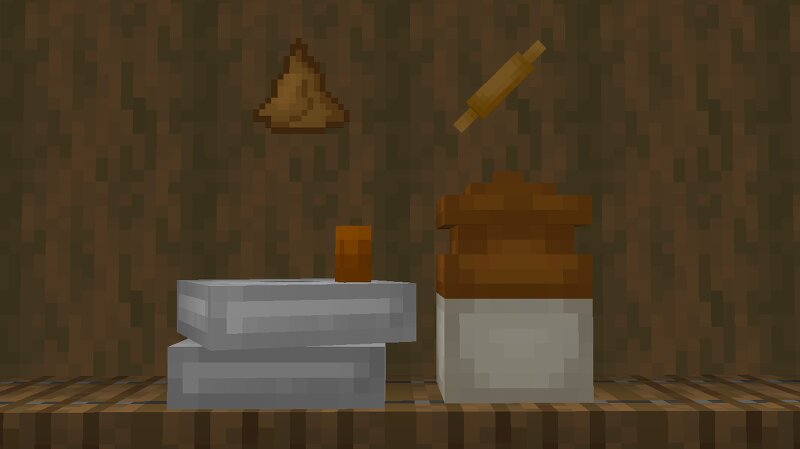
Indian Foods Mod Bring Indian street food and spice into Minecraft! Indian Foods adds over 20 handcrafted snacks, sweets, drinks, tools, crops, and even a new painting — all inspired by real Indian cuisine and culture. Grind wheat into flour, ferment curd in a clay jar, fry samosas, and dig up rock salt ore to add seasoning to your dishes. 🍛 What’s on the Menu? Samosa – gives Haste Mirchi Bajji – spicy chili snack Chapathi – soft flatbread Vada – deep-fried lentil fritter Punugulu – mini fried balls Laddu – sweet dessert Gulab Jamun – sugary delight Lassi – curd drink Curd – made by fermenting milk Chilli Powder , Salt , Flour – ingredients used in recipes 🧱 Extra Features ⛏️ Rock Salt Ore Spawns between Y=1 to Y=63 Drop: Rock Salt , used in cooking 🌾 Chilli Crop with 5 growth stages 🖼️ New Painting 🛠️ Tools & Ingredient Flow 🔄 Hand Mill : Wheat → Flour Chilli → Chilli Powder Rock Salt → Salt 🍶 Clay Jar : Milk Bucket → Curd (via fermentation) 🍽️ Hand Roller : Used to flatten dough for foods like chapathi and vada 🧪 Food Effects Food Item Effect Chapathi Saturation Laddu Strength Samosa Haste Gulab Jamun Speed Lassi Fire Resistance 📦 Compatibility & Info 🎮 Supports NeoForge 1.21.4 🧩
Added value
What’s included on this page
Preview, categories, compatibility, and tools on this page — not a bare file mirror.
- Creator
- SG7997
- Source
- Minecraft downloads library on Eaglercraft Studio
- Type
- Minecraft mod
- Price
- Free download on Eaglercraft Studio
- Curation
- Listed with credit to SG7997 · studio preview & install guide
- Game Version
- Minecraft 1.21.4
- Compatible with
- Minecraft Java (match version / loader in facts)
- Tags
- Crops, Food, Foods, Indian, Inida, Mod
Install guide
How to install this free Minecraft mod
Eaglercraft Studio listing with metadata, creator credit, and loader-aware install guidance.
- 1Download the jar/zip when available.
- 2Install the matching loader (Forge, Fabric, or NeoForge) for your Minecraft version.
- 3Drop the mod into your mods folder, then launch with that profile.
Wrong loader or game version usually crashes on startup — read the facts on this page first.
Related free mods
More curated mods from the same library section.

Pastelmooncrafting15 · 67 diamonds · 20 views

PotatoWolfie · 60 diamonds · 2 views

PotatoWolfie · 53 diamonds · 622 views

Janss_33PL · 47 diamonds · 940 views