
Java Mushroom Blocks
Creator: Beelover20 · 2025-12-04 · Mods · Free on Eaglercraft Studio
Download Java Mushroom Blocks — free Minecraft mod. Created by Beelover20. Tagged aesthetic. Check the file details for Forge, Fabric, or NeoForge before installing.
Creator notes
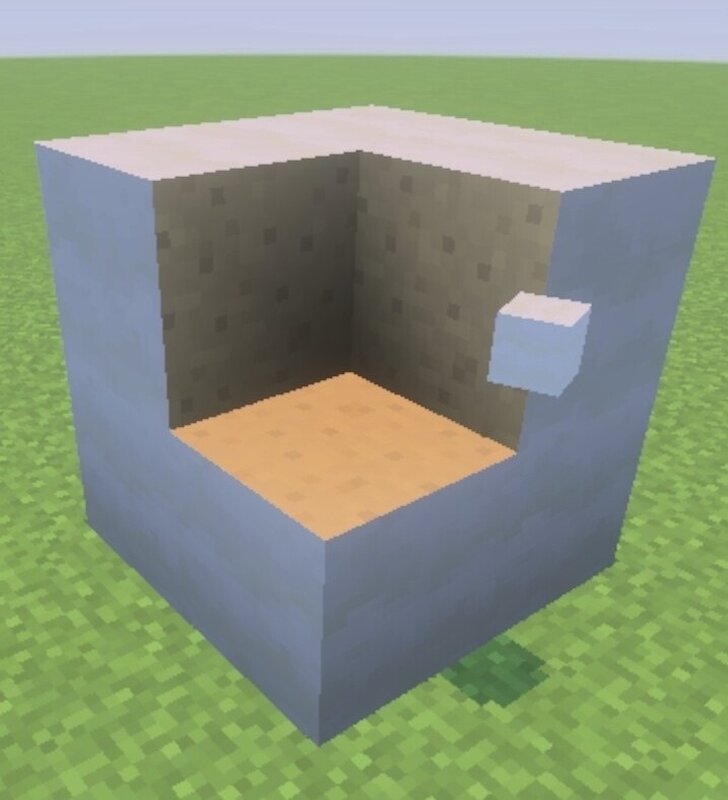
This addon makes mushroom blocks behave like they do in Java Edition, letting you use the inside textures in builds — and without using pistons! Notes / limitations: * You will have to enable experiments ( Upcoming Creator Features and Beta API's) * blocks generated in the big mushroom features will not work, nor will blocks placed before the addon was activated. * items collected before the addons introduction will have to be dropped before they will work * placed blocks will not drop mushrooms Change log: * composting now works This is my first addon, so don't take it too hard if something seems unfair or wonky, if someone wants to try to fix any bugs: feel free to modify it.
Added value
What’s included on this page
Preview, categories, compatibility, and tools on this page — not a bare file mirror.
- Creator
- Beelover20
- Source
- Minecraft downloads library on Eaglercraft Studio
- Type
- Minecraft mod
- Price
- Free download on Eaglercraft Studio
- Curation
- Listed with credit to Beelover20 · studio preview & install guide
- Game Version
- Minecraft 1.21.11
- Compatible with
- Minecraft Java (match version / loader in facts)
- Tags
- Aesthetic
Install guide
How to install this free Minecraft mod
Eaglercraft Studio listing with metadata, creator credit, and loader-aware install guidance.
- 1Download the jar/zip when available.
- 2Install the matching loader (Forge, Fabric, or NeoForge) for your Minecraft version.
- 3Drop the mod into your mods folder, then launch with that profile.
Wrong loader or game version usually crashes on startup — read the facts on this page first.
Related free mods
More curated mods from the same library section.

Pastelmooncrafting15 · 67 diamonds · 20 views

PotatoWolfie · 60 diamonds · 2 views

PotatoWolfie · 53 diamonds · 622 views

Janss_33PL · 47 diamonds · 940 views