
💯LEVEL = RANDOM ITEM (Hardcore Randomizer) (Fabric 1.21.11)
Creator: Heykikoo · 2026-03-18 · Mods · Free on Eaglercraft Studio
Download 💯LEVEL = RANDOM ITEM (Hardcore Randomizer) (Fabric 1.21.11) — free Minecraft mod. Created by Heykikoo. Tagged challenge, difficult, fabric, functional. Check the file details for Forge, Fabric, or NeoForge before installing.
Creator notes
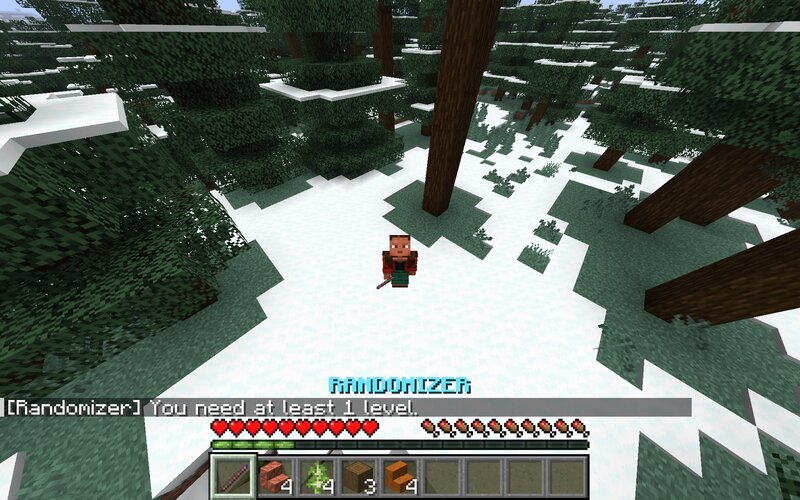
LEVEL = RANDOM ITEM – Hardcore Randomizer 🔥 A Completely New Way to Play Minecraft LEVEL = RANDOM ITEM Hardcore Randomizer transforms Minecraft into a completely different survival experience. Experience is no longer just for enchanting. It becomes your core resource and replaces the traditional way of obtaining items. With the Randomizer, every level you earn directly turns into loot — but not in the way you expect. ⚠️ Important Notes The mod is automatically active in every world as soon as it is installed. It is highly recommended to create a new world before playing. Using the mod in existing worlds may break progression or cause issues. If you load into a world and the Randomizer does not work immediately, do not worry. After joining a world, it can take around 30 seconds until the Randomizer becomes active. This happens because chunks and systems need to load first. Installation - Fabric Loader ◀ DOWNLOAD (Fabric 1.21.11) Install Fabric Loader Install Fabric API Put the mod into your mods folder ⚙️ How It Works You start with a special item called the Randomizer. Using it will consume all your current levels and convert them into one single random item, in the exact same amou
Added value
What’s included on this page
Preview, categories, compatibility, and tools on this page — not a bare file mirror.
- Creator
- Heykikoo
- Source
- Minecraft downloads library on Eaglercraft Studio
- Type
- Minecraft mod
- Price
- Free download on Eaglercraft Studio
- Curation
- Listed with credit to Heykikoo · studio preview & install guide
- Game Version
- Minecraft 1.21.11
- Compatible with
- Minecraft Java (match version / loader in facts)
- Tags
- Challenge, Difficult, Fabric, Functional, Hardcore, Java
Install guide
How to install this free Minecraft mod
Eaglercraft Studio listing with metadata, creator credit, and loader-aware install guidance.
- 1Download the jar/zip when available.
- 2Install the matching loader (Forge, Fabric, or NeoForge) for your Minecraft version.
- 3Drop the mod into your mods folder, then launch with that profile.
Wrong loader or game version usually crashes on startup — read the facts on this page first.
Related free mods
More curated mods from the same library section.

Pastelmooncrafting15 · 67 diamonds · 20 views

PotatoWolfie · 60 diamonds · 2 views

PotatoWolfie · 53 diamonds · 622 views

Janss_33PL · 47 diamonds · 940 views