
Living Trees
Creator: User6317337G · 2026-03-08 · Mods · Free on Eaglercraft Studio
Download Living Trees — free Minecraft mod. Created by User6317337G. Tagged other. Check the file details for Forge, Fabric, or NeoForge before installing.
Creator notes
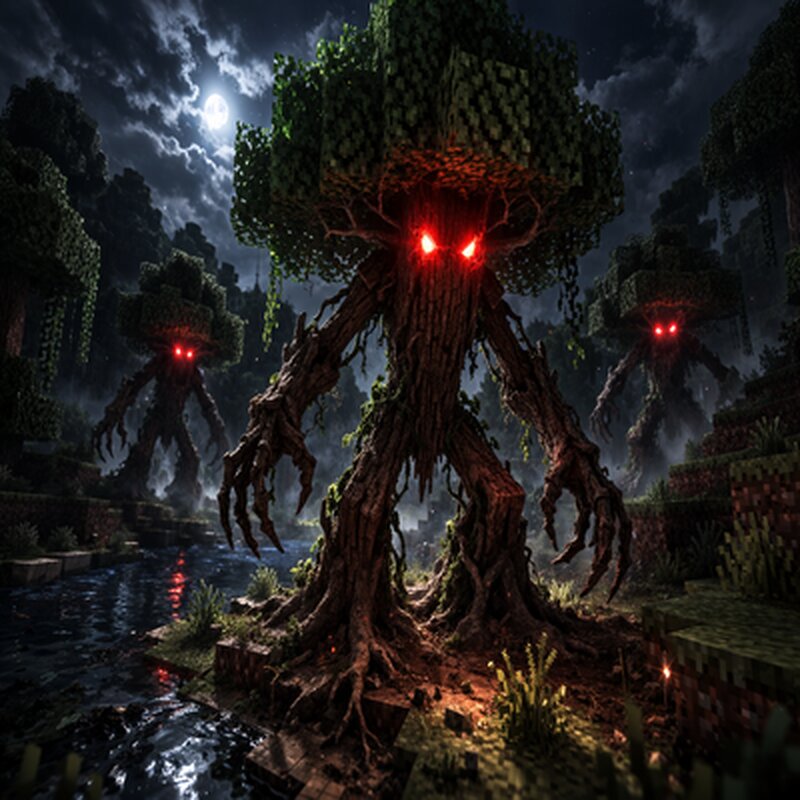
# Living Trees A Minecraft Fabric mod that brings trees to life. At night, trees wake up, grow arms and legs, and roam the world. ## Features - **Trees Come Alive**: Trees grow glowing red eyes, wooden arms, and legs- **Night Awakening**: ~20% of nearby trees automatically wake up at night- **Day Slumber**: When the sun rises, living trees return to their original form- **Dynamic Tree Capture**: Works with any tree type (oak, birch, spruce, jungle, etc.)- **Smooth Animations**: Eyes open/close, limbs grow/retract with fluid animations- **Hostile Behavior**: Some trees are aggressive and attack players and mobs- **Tree Waker Item**: Right-click any tree with the wand to wake it up manually- **Loot Drops**: Kill a living tree to get a Tree Waker wand ## Installation 1. Install [Fabric Loader]( fabricmc.net/) for Minecraft 1.21.12. Install [Fabric API]( modrinth.com/mod/fabric-api)3 . Download the mod JAR file and place it in your `mods` folder4. Launch Minecraft ## Usage **Automatic Mode:**- Play normally and wait for night- Trees around you will start waking up- At dawn, they go back to sleep **Manual Mode:**1. Get the Tree Waker item from the Tools creative tab2. Right-click any tr
Added value
What’s included on this page
Preview, categories, compatibility, and tools on this page — not a bare file mirror.
- Creator
- User6317337G
- Source
- Minecraft downloads library on Eaglercraft Studio
- Type
- Minecraft mod
- Price
- Free download on Eaglercraft Studio
- Curation
- Listed with credit to User6317337G · studio preview & install guide
- Game Version
- Minecraft 1.21.1
- Compatible with
- Minecraft Java (match version / loader in facts)
- Tags
- Other
Install guide
How to install this free Minecraft mod
Eaglercraft Studio listing with metadata, creator credit, and loader-aware install guidance.
- 1Download the jar/zip when available.
- 2Install the matching loader (Forge, Fabric, or NeoForge) for your Minecraft version.
- 3Drop the mod into your mods folder, then launch with that profile.
Wrong loader or game version usually crashes on startup — read the facts on this page first.
Related free mods
More curated mods from the same library section.

Pastelmooncrafting15 · 67 diamonds · 20 views

PotatoWolfie · 60 diamonds · 2 views

PotatoWolfie · 53 diamonds · 622 views

Janss_33PL · 47 diamonds · 940 views