
LLMC's 54th Eid al-Etihad Celebration
Creator: CinnabarMC · 2025-12-03 · Mods · Free on Eaglercraft Studio
Download LLMC's 54th Eid al-Etihad Celebration — free Minecraft mod. Created by CinnabarMC. Tagged armor, art, food, new content. Check the file details for Forge, Fabric, or NeoForge before installing.
Creator notes
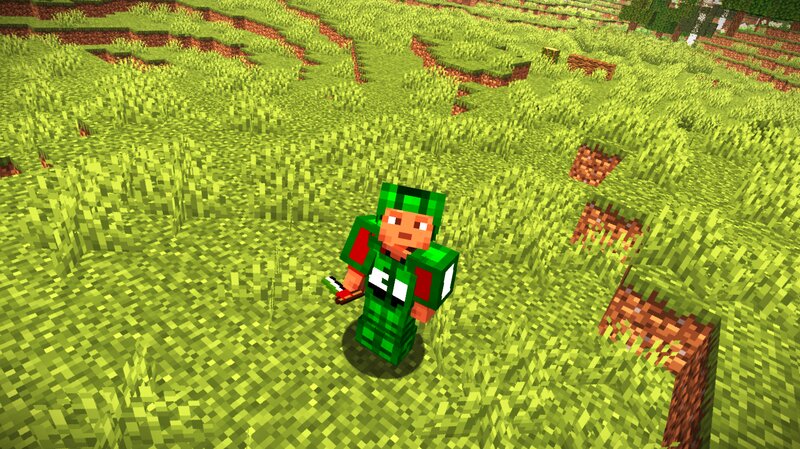
LLMC's 54th Eid al-Etihad Celebration About The Mod This is a Fabric mod created for the purpose of celebrating this prosperous occasion of Eid al-Etihad (formerly UAE National Day) as the 54th Edition this year. This mod adds the various items to celebrate this prosperous occasion. Items include LLMC's UAE-Themed Armor, that has Helmet, Leggings and Boots as Green Color, and the Chestplate with Green, White and Black Colors. Comes next some of the food items ate at Eid al-Etihad which are Maamoul and Harees, I've added two variants of Harees, one with chicken and another one with lamb. Then the flag and paintings, you can hold the UAE Flag in hand, it won't perform any functions though, then we have our paintings specially crafted for Eid al-Etihad, one painting's of the UAE Flag, another one that says مرحباً in Arabic (which means Hello), another one that says عيد الاتحاد in Arabic (which means Eid al-Etihad). Should you want to know more about this mod (for example, its crafting recipes), please visit the official LapisLegacyMC blog here and check for our blog that talks about this. For instructions regarding how to install and play this mod, please check our next section in thi
Added value
What’s included on this page
Preview, categories, compatibility, and tools on this page — not a bare file mirror.
- Creator
- CinnabarMC
- Source
- Minecraft downloads library on Eaglercraft Studio
- Type
- Minecraft mod
- Price
- Free download on Eaglercraft Studio
- Curation
- Listed with credit to CinnabarMC · studio preview & install guide
- Game Version
- Minecraft 1.21.8
- Compatible with
- Minecraft Java (match version / loader in facts)
- Tags
- Armor, Art, Food, New Content, Painting, Utility
Install guide
How to install this free Minecraft mod
Eaglercraft Studio listing with metadata, creator credit, and loader-aware install guidance.
- 1Download the jar/zip when available.
- 2Install the matching loader (Forge, Fabric, or NeoForge) for your Minecraft version.
- 3Drop the mod into your mods folder, then launch with that profile.
Wrong loader or game version usually crashes on startup — read the facts on this page first.
Related free mods
More curated mods from the same library section.

Pastelmooncrafting15 · 67 diamonds · 20 views

PotatoWolfie · 60 diamonds · 2 views

PotatoWolfie · 53 diamonds · 622 views

Janss_33PL · 47 diamonds · 940 views