
Luc's Emporium RPG v2.5.2
Creator: Maraudeur001 · 2026-04-10 · Mods · Free on Eaglercraft Studio
Download Luc's Emporium RPG v2.5.2 — free Minecraft mod. Created by Maraudeur001. Tagged new content. Check the file details for Forge, Fabric, or NeoForge before installing.
Creator notes
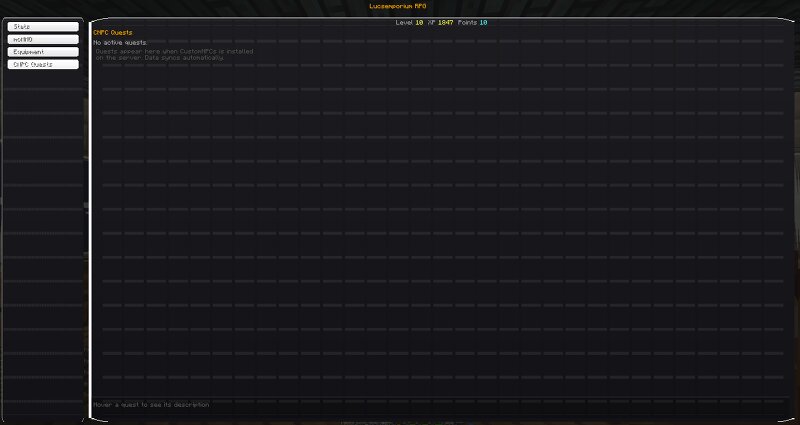
# LucsemporiumRPG **A full RPG skill point system for Minecraft 1.20.1.** Kill mobs, mine ore, chop trees, smelt ingots, trade with villagers — earn RPG XP from everything you do. Level up, get skill points, and invest them across 31 skills spanning five categories. Build a tank, a berserker, a miner, an explorer, or something in between. --- ## How It Works 1. **Play normally** — every activity earns RPG XP (blue orbs drop alongside vanilla green orbs) 2. **Level up** — you get 10 skill points per level (100 levels, 1,000 total points) 3. **Press G** — open the RPG GUI to spend points across 31 skills in 5 category tabs 4. **Specialize** — with 1,505 total cap across all skills but only 1,000 points available, every build is a meaningful choice Creative and spectator mode players don't earn XP. --- ## The RPG XP Bar A blue bar sits above your hearts, matching the style of the vanilla green experience bar. Your RPG level number floats above it. The bar scales with extra heart rows and armor so it never overlaps. On level up: - A "LEVEL UP!" banner appears center-screen for 3 seconds in gold - A layered sound plays (vanilla level-up jingle at higher pitch + note block chime) - If yo
Added value
What’s included on this page
Preview, categories, compatibility, and tools on this page — not a bare file mirror.
- Creator
- Maraudeur001
- Source
- Minecraft downloads library on Eaglercraft Studio
- Type
- Minecraft mod
- Price
- Free download on Eaglercraft Studio
- Curation
- Listed with credit to Maraudeur001 · studio preview & install guide
- Game Version
- Minecraft 1.20.1
- Compatible with
- Minecraft Java (match version / loader in facts)
- Tags
- New Content
Install guide
How to install this free Minecraft mod
Eaglercraft Studio listing with metadata, creator credit, and loader-aware install guidance.
- 1Download the jar/zip when available.
- 2Install the matching loader (Forge, Fabric, or NeoForge) for your Minecraft version.
- 3Drop the mod into your mods folder, then launch with that profile.
Wrong loader or game version usually crashes on startup — read the facts on this page first.
Related free mods
More curated mods from the same library section.

Pastelmooncrafting15 · 67 diamonds · 20 views

PotatoWolfie · 60 diamonds · 2 views

PotatoWolfie · 53 diamonds · 622 views

Janss_33PL · 47 diamonds · 940 views