
Lucky Pixel
Creator: EduardinDs · 2026-02-21 · Mods · Free on Eaglercraft Studio
Download Lucky Pixel — free Minecraft mod. Created by EduardinDs. Tagged addon, creative, luck, luckyblock. Check the file details for Forge, Fabric, or NeoForge before installing.
Creator notes
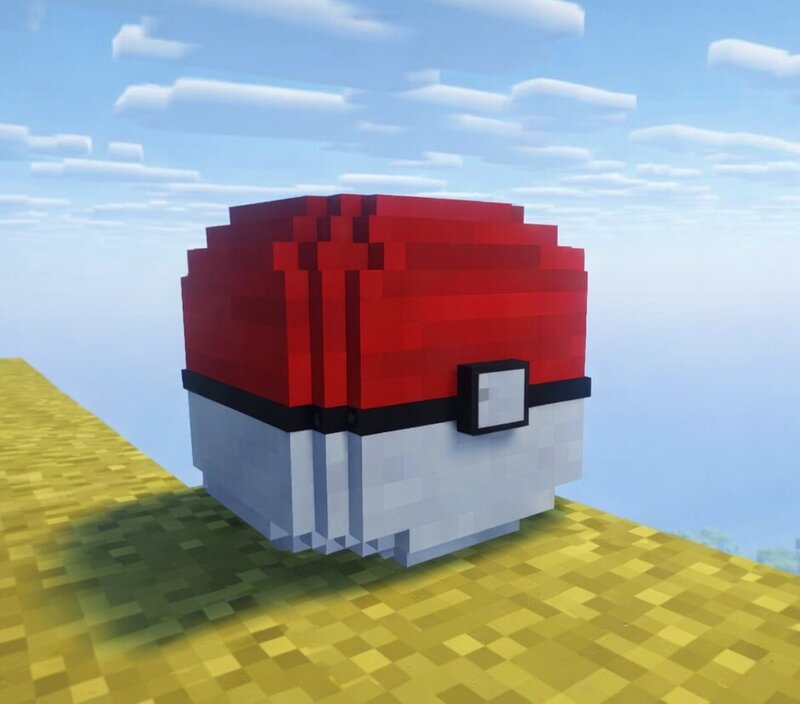
🇺🇸 Lucky Pixel brings new surprises to your Pixelmon world. Break special Lucky Blocks inspired by Poké Balls and get random outcomes from Legendary or Mythical Pokémon, temples, and Lucky Wells to rare items and unpredictable events. Each block can completely change your adventure, adding mystery and variety to every opening. Note: This mod may contain bugs or unexpected behavior. Share your feedback in the comments and tell us what features or drops you’d like to see next! Update: 1.1.8 New -Added Lucky Pixel Fused in 8x -Fixed some drops 1.1.7 -Now there's a chance to get drops when opening Lucky Pixel. -Lucky Pixel Chance Updates -New Pokémon added to Lucky Pixel Alternative. -Updated the Lucky Pixel, Master Pixel, and Alternative blocks to break faster. 🇧🇷 Lucky Pixel adiciona novas surpresas ao seu mundo Pixelmon. Quebre Lucky Blocks especiais inspirados em Poké Bolas e receba resultados aleatórios desde Pokémons Lendários ou Míticos, templos e poços da sorte até itens raros e eventos imprevisíveis. Cada bloco pode mudar totalmente sua aventura, trazendo mistério e variedade a cada abertura. Atenção: O mod pode conter alguns bugs ou comportamentos inesperados. Deixe seu feedb
Added value
What’s included on this page
Preview, categories, compatibility, and tools on this page — not a bare file mirror.
- Creator
- EduardinDs
- Source
- Minecraft downloads library on Eaglercraft Studio
- Type
- Minecraft mod
- Price
- Free download on Eaglercraft Studio
- Curation
- Listed with credit to EduardinDs · studio preview & install guide
- Game Version
- Minecraft 1.21.1
- Compatible with
- Minecraft Java (match version / loader in facts)
- Tags
- Addon, Creative, Luck, Luckyblock, Luckyblockaddon, Multiplayer
Install guide
How to install this free Minecraft mod
Eaglercraft Studio listing with metadata, creator credit, and loader-aware install guidance.
- 1Download the jar/zip when available.
- 2Install the matching loader (Forge, Fabric, or NeoForge) for your Minecraft version.
- 3Drop the mod into your mods folder, then launch with that profile.
Wrong loader or game version usually crashes on startup — read the facts on this page first.
Related free mods
More curated mods from the same library section.

Pastelmooncrafting15 · 67 diamonds · 20 views

PotatoWolfie · 60 diamonds · 2 views

PotatoWolfie · 53 diamonds · 622 views

Janss_33PL · 47 diamonds · 940 views