
Magic Arrows and Bow for Minecraft PE 1.26 +
Creator: Badboy7793 · 2026-03-04 · Mods · Free on Eaglercraft Studio
Download Magic Arrows and Bow for Minecraft PE 1.26 + — free Minecraft mod. Created by Badboy7793. Tagged badboy7793, game, minecraft, minecraftsarver. Check the file details for Forge, Fabric, or NeoForge before installing.
Creator notes
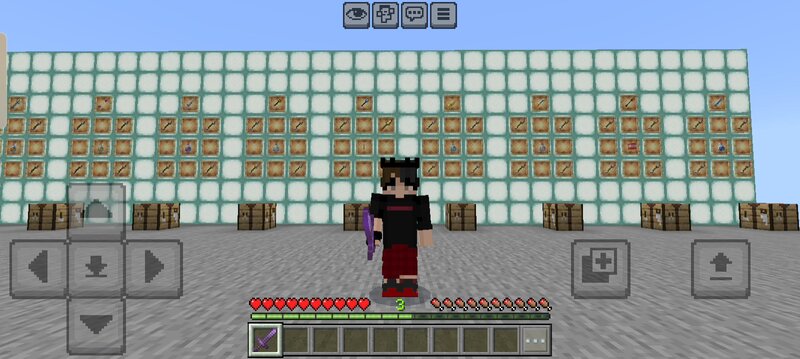
This mod for Minecraft PE world and Sarver. How to use. First chak to crafting table and create a normal arrow then you can see how to create magical arrow and for the bow create a normal bow and check to the crafting table then you can see how to make a bow for this magical arrows. If You don't understand how to use that Wait for quite hours I can upload a video for that. after download the mod go to your file find the mode and click and hold then rename cut the zip part and then add the mod in your game. After enter the game Make sure on the experimental gameplay otherwise that more not will be working. Hey Everyone! This is Bad Boy here! Welcome to "MR:Bad Boy7793 Gamer" YouTube Channel! I created this channel for android games i upload daily videos about mobile related games and gaming news so if you’re interested in playing games so this channel is helpful for you. Please SUBSCRIBE to MR:Bad Boy7793 Gamer, Thanks.
Added value
What’s included on this page
Preview, categories, compatibility, and tools on this page — not a bare file mirror.
- Creator
- Badboy7793
- Source
- Minecraft downloads library on Eaglercraft Studio
- Type
- Minecraft mod
- Price
- Free download on Eaglercraft Studio
- Curation
- Listed with credit to Badboy7793 · studio preview & install guide
- Game Version
- Minecraft 1.21.11
- Compatible with
- Minecraft Java (match version / loader in facts)
- Tags
- Badboy7793, Game, Minecraft, Minecraftsarver, Minecraftskin, Minecraftworld
Install guide
How to install this free Minecraft mod
Eaglercraft Studio listing with metadata, creator credit, and loader-aware install guidance.
- 1Download the jar/zip when available.
- 2Install the matching loader (Forge, Fabric, or NeoForge) for your Minecraft version.
- 3Drop the mod into your mods folder, then launch with that profile.
Wrong loader or game version usually crashes on startup — read the facts on this page first.
Related free mods
More curated mods from the same library section.

Pastelmooncrafting15 · 67 diamonds · 20 views

PotatoWolfie · 60 diamonds · 2 views

PotatoWolfie · 53 diamonds · 622 views

Janss_33PL · 47 diamonds · 940 views