
Magnet Tool v1.1 - "Smart Item Attraction System"
Creator: shadowGem100k · 2026-01-20 · Mods · Free on Eaglercraft Studio
Download Magnet Tool v1.1 - "Smart Item Attraction System" — free Minecraft mod. Created by shadowGem100k. Tagged addon, ddons, mcpe, minecraft. Check the file details for Forge, Fabric, or NeoForge before installing.
Creator notes
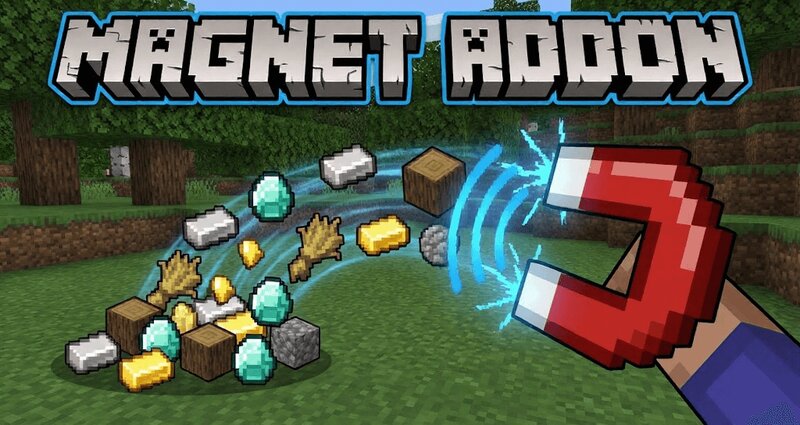
Description 🧲 Magnet Addon Smart Item Attraction System for Minecraft Bedrock 1.21+ Magnet Addon is a powerful Minecraft Bedrock quality of life addon that introduces an advanced Magnet item capable of pulling nearby dropped items and XP directly toward the player. It is designed to speed up gameplay, reduce manual pickup, and stay fully balanced for survival worlds and SMP servers. If you are looking for a Minecraft Bedrock magnet addon, item vacuum addon, auto pickup mod, or XP magnet system, this addon delivers all of that with a clean upgrade system and performance safe logic. 🧠 What This Magnet Addon Does The addon adds a Magnet item that attracts nearby dropped items and optional XP orbs within a configurable radius. The magnet works when held in hand or equipped in the offhand and uses a smart overheat and cooldown system to prevent abuse while keeping gameplay smooth. ⚙️ Smart Magnet Mechanics The magnet uses durability as heat. While active, the magnet heats up gradually. Once overheated, it locks and enters a cooldown state before reactivating. Upgrades allow longer usage time, faster pull speed, and quicker cooldown recovery. 🖥️ Magnet Workshop Upgrade UI Sneak and use t
Added value
What’s included on this page
Preview, categories, compatibility, and tools on this page — not a bare file mirror.
- Creator
- shadowGem100k
- Source
- Minecraft downloads library on Eaglercraft Studio
- Type
- Minecraft mod
- Price
- Free download on Eaglercraft Studio
- Curation
- Listed with credit to shadowGem100k · studio preview & install guide
- Game Version
- Minecraft 1.21.11
- Compatible with
- Minecraft Java (match version / loader in facts)
- Tags
- Addon, Ddons, Mcpe, Minecraft, Other
Install guide
How to install this free Minecraft mod
Eaglercraft Studio listing with metadata, creator credit, and loader-aware install guidance.
- 1Download the jar/zip when available.
- 2Install the matching loader (Forge, Fabric, or NeoForge) for your Minecraft version.
- 3Drop the mod into your mods folder, then launch with that profile.
Wrong loader or game version usually crashes on startup — read the facts on this page first.
Related free mods
More curated mods from the same library section.

Pastelmooncrafting15 · 67 diamonds · 20 views

PotatoWolfie · 60 diamonds · 2 views

PotatoWolfie · 53 diamonds · 622 views

Janss_33PL · 47 diamonds · 940 views