
MCGifs
Creator: ElTotisPro50 · 2025-12-28 · Mods · Free on Eaglercraft Studio
Download MCGifs — free Minecraft mod. Created by ElTotisPro50. Tagged aesthetic. Check the file details for Forge, Fabric, or NeoForge before installing.
Creator notes
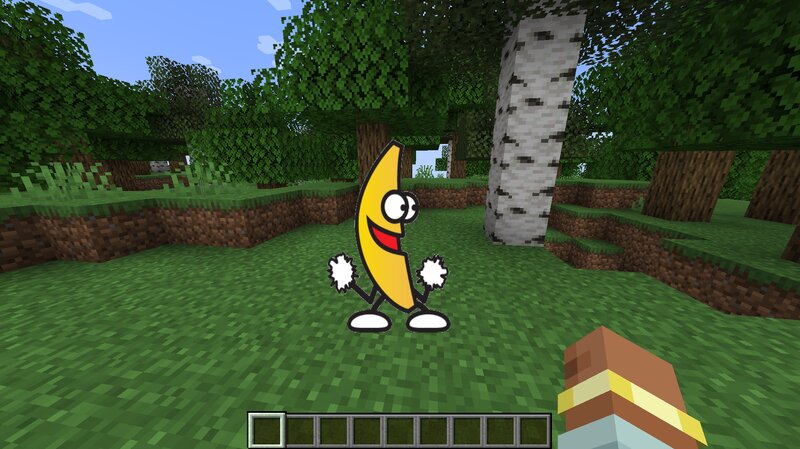
Minecraft mod that renders animated GIFs directly in the overlay. Includes an in-game screen to download GIFs by pasting a URL, with no external tools required, and displays/updates them in real time on the UI (you don't even need to save the world when exiting Minecraft). Keep in mind that the GIF renders above almost any other overlay - Press G to open the download screen - Paste a URL and download - That's it, if your URL is correct, the GIF should download and render almost instantly Usages - Drag GIFs in your screen - Right Click to hide/show, remove or rename the GIF - Resize by holding a corner and dragging Saves The GIFs and the .json save file are located in the _MCGifs_ folder inside the .minecraft directory Warning Normally, copying a GIF link from a web page does not give a direct downloadable file. The link usually points to a web page that returns HTML or redirects, not the actual GIF file, so if your GIF is not downloading, that's the reason. To fix it: - Open the GIF on the page (Google Images, Tenor, Giphy, etc). - Right-click the GIF. - Click “Open image in new tab”. - Copy the new tab URL. - If it contains "media/images/etc" in the URL, it’s the real link. A FEW
Added value
What’s included on this page
Preview, categories, compatibility, and tools on this page — not a bare file mirror.
- Creator
- ElTotisPro50
- Source
- Minecraft downloads library on Eaglercraft Studio
- Type
- Minecraft mod
- Price
- Free download on Eaglercraft Studio
- Curation
- Listed with credit to ElTotisPro50 · studio preview & install guide
- Game Version
- Minecraft 1.20.1
- Compatible with
- Minecraft Java (match version / loader in facts)
- Tags
- Aesthetic
Install guide
How to install this free Minecraft mod
Eaglercraft Studio listing with metadata, creator credit, and loader-aware install guidance.
- 1Download the jar/zip when available.
- 2Install the matching loader (Forge, Fabric, or NeoForge) for your Minecraft version.
- 3Drop the mod into your mods folder, then launch with that profile.
Wrong loader or game version usually crashes on startup — read the facts on this page first.
Related free mods
More curated mods from the same library section.

Pastelmooncrafting15 · 67 diamonds · 20 views

PotatoWolfie · 60 diamonds · 2 views

PotatoWolfie · 53 diamonds · 622 views

Janss_33PL · 47 diamonds · 940 views