
Minecraft, but block are liquid
Creator: itsBumblebee · 2026-01-21 · Mods · Free on Eaglercraft Studio
Download Minecraft, but block are liquid — free Minecraft mod. Created by itsBumblebee. Tagged butblockareliquid, liquid, minecraftbutblockareliqui, minecraftliquid. Check the file details for Forge, Fabric, or NeoForge before installing.
Creator notes
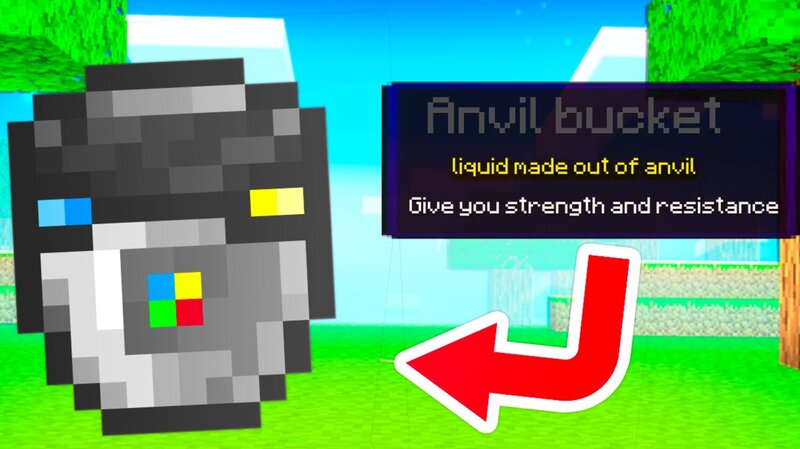
This mod adds liquid block you need to touch the liquid to gain they ability Press V to open the shop menu Here are the items and their abilities 1.bucket container : you can collect dirt, sand, gravel, oak log, iron, slime, soul sand, anvil, end stone. 2.dirt bucket : any entity that hurt you has 40 chance to sink down a.dirt item: shot dirt that slow entity 3.sand bucket : you become almost immortal and weak as a fish a.sand item : trapped entity inside sand 4.gravel bucket : disable your gravity a.gravel item : hit an entity and they will start to levitate 5.oak log bucket : shift on grass block to fill up hunger a.oak log item : shit and right click on a tree to collect it and right click the tree to get random tree loot with a chance of enchanted apple and golden apple 6.iron bucket : you get strength and slowness a.iron item : right click summon iron golem 7.slime bucket : double jump to jump higher a.slime : shoot slime that poison entity's 8.soul sand bucket : shift to hurt any entity in 10 block radius a.soul sand sword : deals a huge amount of damage and a chance to insta-kill 9.anvil bucke t: huge amount of slowness and strength and disable fall damage a.anvil item : rig
Added value
What’s included on this page
Preview, categories, compatibility, and tools on this page — not a bare file mirror.
- Creator
- itsBumblebee
- Source
- Minecraft downloads library on Eaglercraft Studio
- Type
- Minecraft mod
- Price
- Free download on Eaglercraft Studio
- Curation
- Listed with credit to itsBumblebee · studio preview & install guide
- Game Version
- Minecraft 1.21.8
- Compatible with
- Minecraft Java (match version / loader in facts)
- Tags
- Butblockareliquid, Liquid, Minecraftbutblockareliqui, Minecraftliquid, Morebucket, Moreliquid
Install guide
How to install this free Minecraft mod
Eaglercraft Studio listing with metadata, creator credit, and loader-aware install guidance.
- 1Download the jar/zip when available.
- 2Install the matching loader (Forge, Fabric, or NeoForge) for your Minecraft version.
- 3Drop the mod into your mods folder, then launch with that profile.
Wrong loader or game version usually crashes on startup — read the facts on this page first.
Related free mods
More curated mods from the same library section.

Pastelmooncrafting15 · 67 diamonds · 20 views

PotatoWolfie · 60 diamonds · 2 views

PotatoWolfie · 53 diamonds · 622 views

Janss_33PL · 47 diamonds · 940 views