
Minecraft, but Guns Are OP!
Creator: Mokey Crue · 2026-09-16 · Mods · Free on Eaglercraft Studio
Download Minecraft, but Guns Are OP! — free Minecraft mod. Created by Mokey Crue. Tagged guns, minecraft, minecraftbut, minecraftgunsop. Check the file details for Forge, Fabric, or NeoForge before installing.
Creator notes
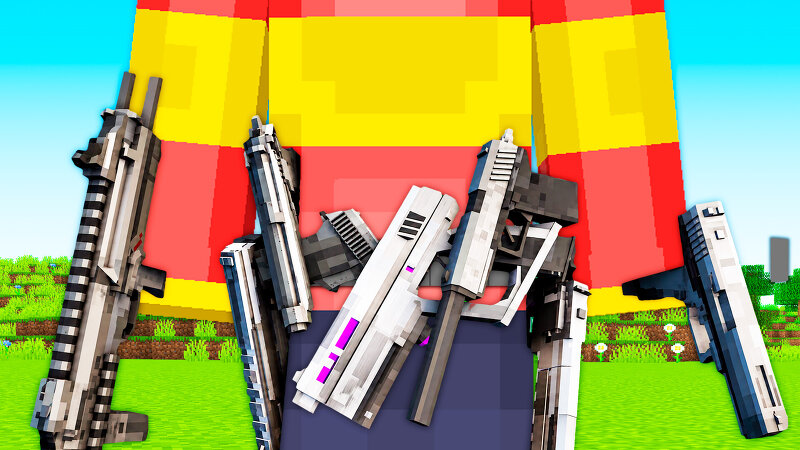
Mokey Mod: Guns Are OP 🔫 Guns Are OP — Every Advancement Is a New Gun Picture this: you break your first stone block and the chat pops up — "Advancement #3/110 Stone Age — you got: Umax Pistol + 21x Standard Bullet (Power 3/100)" A pistol. For mining stone. Now imagine what happens when you kill the Ender Dragon. Guns Are OP is a mod for Minecraft 1.20.1 (Forge) that turns the game's advancements into a weapon progression ladder. There are 110 advancements , and each one hands you a gun and its ammo. The harder the advancement, the stronger the gun, from a Finger Gun in your first second of play all the way to end-game weapons when you hunt down every mob in Minecraft. ⚙️ How It Works There's no command to start anything. Just install and play. Every time a player earns an advancement from the mod's table, they automatically get: 🔫 The gun for that tier 📦 Its ammo , already in the right amount 📢 A chat announcement with the advancement number, the gun's name, and its Power level (1 to 100) 🔊 A reward sound that gets higher-pitched as the tier goes up If your inventory is full, the gun drops on the ground instantly, marked as yours, so nobody can steal it. Each player gets each rewa
Added value
What’s included on this page
Preview, categories, compatibility, and tools on this page — not a bare file mirror.
- Creator
- Mokey Crue
- Source
- Minecraft downloads library on Eaglercraft Studio
- Type
- Minecraft mod
- Price
- Free download on Eaglercraft Studio
- Curation
- Listed with credit to Mokey Crue · studio preview & install guide
- Game Version
- Minecraft 1.20.1
- Compatible with
- Minecraft Java (match version / loader in facts)
- Tags
- Guns, Minecraft, Minecraftbut, Minecraftgunsop, Other
Install guide
How to install this free Minecraft mod
Eaglercraft Studio listing with metadata, creator credit, and loader-aware install guidance.
- 1Download the jar/zip when available.
- 2Install the matching loader (Forge, Fabric, or NeoForge) for your Minecraft version.
- 3Drop the mod into your mods folder, then launch with that profile.
Wrong loader or game version usually crashes on startup — read the facts on this page first.
Related free mods
More curated mods from the same library section.

Pastelmooncrafting15 · 67 diamonds · 20 views

PotatoWolfie · 60 diamonds · 2 views

PotatoWolfie · 53 diamonds · 622 views

Janss_33PL · 47 diamonds · 940 views