
Moog's Glow Up
Creator: FinnDog_123 · 2026-09-28 · Mods · Free on Eaglercraft Studio
Download Moog's Glow Up — free Minecraft mod. Created by FinnDog_123. Tagged adventure, armortrims, decoration, fabric. Check the file details for Forge, Fabric, or NeoForge before installing.
Creator notes
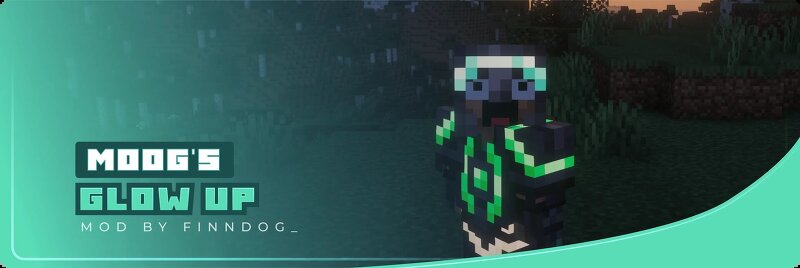
Moog's Glow Up is a small overhaul of Glow Ink Sacs. I thought glow ink was pretty cool but didn't have enough uses, so I added a bunch of vanilla-feeling features that make it more fun to play around with. Glowing Armor Trims You can find a Glow Trim Template in ocean loot. Use it in a smithing table with Glow Ink to make any armor trim glow. The armor reads Bioluminescent in its tooltip. Resonant Armor Trims Same template, but with an Echo Shard instead of glow ink. Instead of a steady glow, the trim pulses. The armor reads Resonant in its tooltip. A piece can be Bioluminescent or Resonant, never both. You can re-smith one into the other whenever you like, so the choice isn't permanent. Glowing Banners (Loom) Throw a banner and Glow Ink Sac into the loom to make the last layer glow. If your banner doesn't have any patterns yet, you can make the base layer glow instead. If you have Supplementaries installed, flags work too. Apply glow ink to a flag in the loom, or craft a glowing banner into a flag and the glow carries across. A flag lights up as a whole rather than one layer at a time, and its tooltip turns cyan to show that. Supplementaries is entirely optional. (1.20-1.20.1 and
Added value
What’s included on this page
Preview, categories, compatibility, and tools on this page — not a bare file mirror.
- Creator
- FinnDog_123
- Source
- Minecraft downloads library on Eaglercraft Studio
- Type
- Minecraft mod
- Price
- Free download on Eaglercraft Studio
- Curation
- Listed with credit to FinnDog_123 · studio preview & install guide
- Game Version
- Minecraft 26.2
- Compatible with
- Minecraft Java (match version / loader in facts)
- Tags
- Adventure, Armortrims, Decoration, Fabric, Forge, Glow
Install guide
How to install this free Minecraft mod
Eaglercraft Studio listing with metadata, creator credit, and loader-aware install guidance.
- 1Download the jar/zip when available.
- 2Install the matching loader (Forge, Fabric, or NeoForge) for your Minecraft version.
- 3Drop the mod into your mods folder, then launch with that profile.
Wrong loader or game version usually crashes on startup — read the facts on this page first.
Related free mods
More curated mods from the same library section.

Pastelmooncrafting15 · 67 diamonds · 20 views

PotatoWolfie · 60 diamonds · 2 views

PotatoWolfie · 53 diamonds · 622 views

Janss_33PL · 47 diamonds · 940 views