
More Easy Stuff - Gold Fixed! OP Tools & Food (1.21.8)
Creator: Dromex1 · 2026-01-03 · Mods · Free on Eaglercraft Studio
Download More Easy Stuff - Gold Fixed! OP Tools & Food (1.21.8) — free Minecraft mod. Created by Dromex1. Tagged armor, easy, food, gold. Check the file details for Forge, Fabric, or NeoForge before installing.
Creator notes
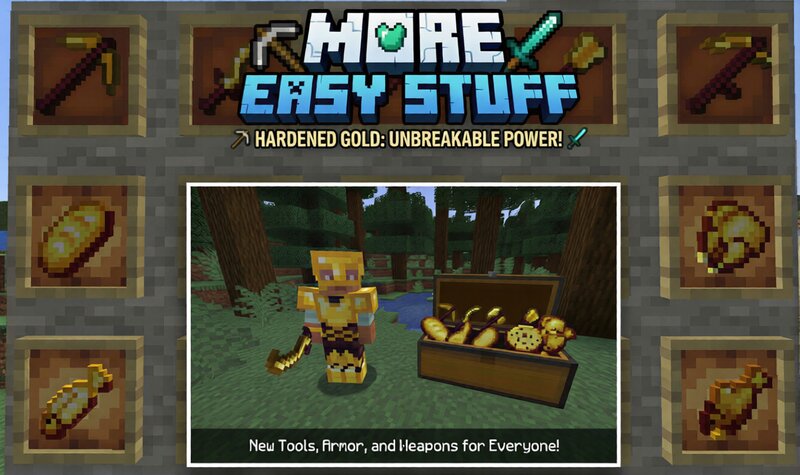
⚠️ REQUIRES NEOFORGE ⚠️ Are you tired of Gold Tools breaking instantly? More Easy Stuff is a mod designed to bridge the gap between the speed of Gold and the durability of Netherite, creating the ultimate survival experience! My goal is simple: Make the game easier and more fun without ruining the balance. ⭐ MAIN FEATURES: 🛠️ Hardened Gold Set (Tools & Armor) A brand new material that finally makes gold useful! Tools: Insane mining speed (Efficiency XII) combined with high durability (2000+ uses). The Pickaxe can mine Obsidian instantly. Armor: Better protection than Diamond, perfect for tanking damage. Repair: Easily repairable in an anvil using Hardened Gold Ingots. 🍎 Golden Food System Over 20+ new food items added! (Golden Steak, Golden Bread, Golden Potato, Fish, etc.) Buffs: Eating ANY Golden Food gives you Haste (Mining Speed) and Regeneration . Synergy: Combine the Haste effect with the Hardened Pickaxe for "Insta-Mine" capability! Recipe: Cheap to craft using Gold Nuggets. ⚙️ CRAFTING: Hardened Ingot: Combine Gold Ingot + Iron to get Hardened Ingots. Golden Food: Surround any vanilla food with 1 Gold Nuggets in a crafting table. 📥 HOW TO INSTALL: Step 1: Install NeoForge G
Added value
What’s included on this page
Preview, categories, compatibility, and tools on this page — not a bare file mirror.
- Creator
- Dromex1
- Source
- Minecraft downloads library on Eaglercraft Studio
- Type
- Minecraft mod
- Price
- Free download on Eaglercraft Studio
- Curation
- Listed with credit to Dromex1 · studio preview & install guide
- Game Version
- Minecraft 1.21.8
- Compatible with
- Minecraft Java (match version / loader in facts)
- Tags
- Armor, Easy, Food, Gold, Neoforge, New Content
Install guide
How to install this free Minecraft mod
Eaglercraft Studio listing with metadata, creator credit, and loader-aware install guidance.
- 1Download the jar/zip when available.
- 2Install the matching loader (Forge, Fabric, or NeoForge) for your Minecraft version.
- 3Drop the mod into your mods folder, then launch with that profile.
Wrong loader or game version usually crashes on startup — read the facts on this page first.
Related free mods
More curated mods from the same library section.

Pastelmooncrafting15 · 67 diamonds · 20 views

PotatoWolfie · 60 diamonds · 2 views

PotatoWolfie · 53 diamonds · 622 views

Janss_33PL · 47 diamonds · 940 views