
Morph menu Minecraft bedrock edition
Creator: Sergey7363635 · 2026-08-23 · Mods · Free on Eaglercraft Studio
Download Morph menu Minecraft bedrock edition — free Minecraft mod. Created by Sergey7363635. Tagged animal, bedrock, morph, new content. Check the file details for Forge, Fabric, or NeoForge before installing.
Creator notes
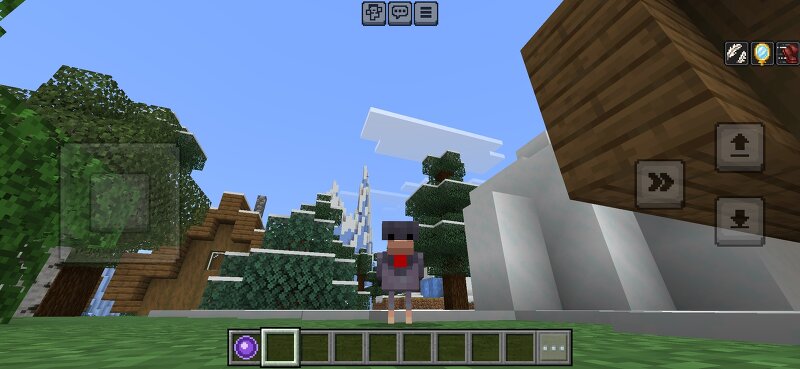
Morph Menu — Turn into Mobs!Minecraft Bedrock 1.26.40+ Transform into dozens of mobs with a simple item! Features:• Custom item Morph Menu• Beautiful UI with 60+ mobs (cow, pig, chicken, zombie, creeper, enderman, spider, wolf, fox, and many more)• Easy return to human form• Player becomes invisible + visual mob follows you• Reduced size / hitbox attempt (try to fit through 1-block gaps)• Water Breathing while transformed• Automatic item on join• Works in Survival & Creative How to use:1. Hold the Morph Menu item2. Use it (right-click / long press)3. Choose any mob from the list4. Press Return to Human to turn back Installation:1. Download the .mcaddon2. Open it with Minecraft3. Activate both Behavior Pack and Resource Pack4. Enable Beta APIs experiment5. Enter the world Commands:/give @s morph:menu Notes:• Visual morph system (player stays invisible, mob entity follows)• May conflict with other addons that modify player.json• Best experience on Minecraft Bedrock 1.26.40+
Added value
What’s included on this page
Preview, categories, compatibility, and tools on this page — not a bare file mirror.
- Creator
- Sergey7363635
- Source
- Minecraft downloads library on Eaglercraft Studio
- Type
- Minecraft mod
- Price
- Free download on Eaglercraft Studio
- Curation
- Listed with credit to Sergey7363635 · studio preview & install guide
- Game Version
- Minecraft 26.3 snapshot
- Compatible with
- Minecraft Java (match version / loader in facts)
- Tags
- Animal, Bedrock, Morph, New Content
Install guide
How to install this free Minecraft mod
Eaglercraft Studio listing with metadata, creator credit, and loader-aware install guidance.
- 1Download the jar/zip when available.
- 2Install the matching loader (Forge, Fabric, or NeoForge) for your Minecraft version.
- 3Drop the mod into your mods folder, then launch with that profile.
Wrong loader or game version usually crashes on startup — read the facts on this page first.
Related free mods
More curated mods from the same library section.

Pastelmooncrafting15 · 67 diamonds · 20 views

PotatoWolfie · 60 diamonds · 2 views

PotatoWolfie · 53 diamonds · 622 views

Janss_33PL · 47 diamonds · 940 views