
MP - Moog's Paths
Creator: FinnDog_123 · 2026-09-28 · Mods · Free on Eaglercraft Studio
Download MP - Moog's Paths — free Minecraft mod. Created by FinnDog_123. Tagged adventure, fabric, forge, neoforge. Check the file details for Forge, Fabric, or NeoForge before installing.
Creator notes
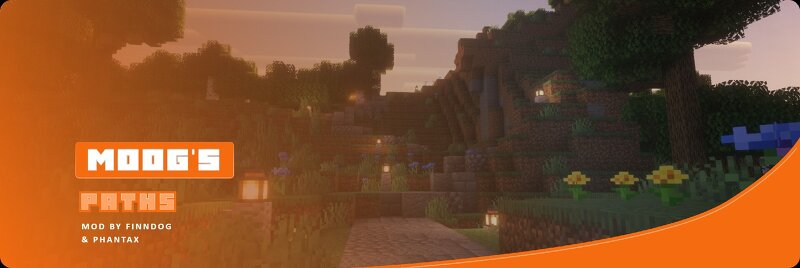
A data-driven path and trail network for Minecraft. Biome-specific paths and roadside decorations bring the overworld to life. Fully configurable through datapacks. This mod works on Fabric and Forge for Minecraft 1.20.1. Moog's Paths generates a network of paths, trails and roads across the overworld. Each biome gets its own style of path built from blocks that belong there, lined with decorations that fit the landscape. Paths carve through hills, follow terrain, bridge over water, and fade naturally into the ground at their endpoints. Everything is defined in JSON. No new items, no crafting recipes. The mod ships a full set of built-in paths, but every path type, network, structure, and decorator can be overridden or extended through datapacks without writing a single line of code. 15 path networks across every major overworld biome: Plains Trail - dirt path through plains and meadows with grass and wildflower scatter, oak and azalea bush clusters alongside Dirt Road - wide coarse dirt, podzol and rooted dirt road through taiga and dark forest with cairns along the route Overworld Trail - cobblestone and mossy cobblestone road that can appear across any overworld biome with oak p
Added value
What’s included on this page
Preview, categories, compatibility, and tools on this page — not a bare file mirror.
- Creator
- FinnDog_123
- Source
- Minecraft downloads library on Eaglercraft Studio
- Type
- Minecraft mod
- Price
- Free download on Eaglercraft Studio
- Curation
- Listed with credit to FinnDog_123 · studio preview & install guide
- Game Version
- Minecraft 26.2
- Compatible with
- Minecraft Java (match version / loader in facts)
- Tags
- Adventure, Fabric, Forge, Neoforge, New Content, Paths
Install guide
How to install this free Minecraft mod
Eaglercraft Studio listing with metadata, creator credit, and loader-aware install guidance.
- 1Download the jar/zip when available.
- 2Install the matching loader (Forge, Fabric, or NeoForge) for your Minecraft version.
- 3Drop the mod into your mods folder, then launch with that profile.
Wrong loader or game version usually crashes on startup — read the facts on this page first.
Related free mods
More curated mods from the same library section.

Pastelmooncrafting15 · 67 diamonds · 20 views

PotatoWolfie · 60 diamonds · 2 views

PotatoWolfie · 53 diamonds · 622 views

Janss_33PL · 47 diamonds · 940 views