
Music Player Mod
Creator: Modular_boyAnsh · 2026-04-01 · Mods · Free on Eaglercraft Studio
Download Music Player Mod — free Minecraft mod. Created by Modular_boyAnsh. Tagged aesthetic, fabric, latestversion, minecraft. Check the file details for Forge, Fabric, or NeoForge before installing.
Creator notes
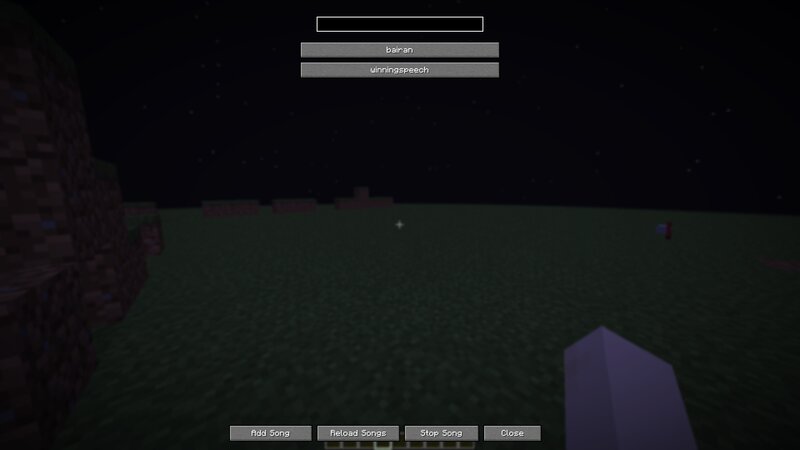
Music Player Mod Play your own custom songs inside Minecraft using a simple in-game music player GUI. This mod allows you to import your own music and play it while playing survival, building, or doing challenges. Features Play custom .ogg songs Simple in-game music player Add Song button opens songs folder Reload songs without restarting Minecraft Automatic Songs Mod resourcepack Lightweight and simple How to use Installation 1 Put the mod in your mods folder 2 Start Minecraft 3 Enable the Songs Mod resourcepack 4 Type: /instructions 5 Follow instructions to add songs Adding songs 1 Search your favourite song on YouTube 2 Convert it to mp3 3 Convert mp3 → ogg 4 Rename file to lowercase 5 Click Add Song 6 Put file in the opened folder 7 Click Reload Songs 8 Press F3 + T Your song is now ready. video tutorial Current limitations (This is an early alpha release) Not added yet: Volume control MP3 direct support Loop button Playlist system Random song button UI improvements Planned features Planned future updates may include: Volume slider Playlist system Random song player Better GUI Performance improvements ⚠ Notes- This is an early development version. Bugs may exist. If you find bu
Added value
What’s included on this page
Preview, categories, compatibility, and tools on this page — not a bare file mirror.
- Creator
- Modular_boyAnsh
- Source
- Minecraft downloads library on Eaglercraft Studio
- Type
- Minecraft mod
- Price
- Free download on Eaglercraft Studio
- Curation
- Listed with credit to Modular_boyAnsh · studio preview & install guide
- Game Version
- Minecraft 1.21.11
- Compatible with
- Minecraft Java (match version / loader in facts)
- Tags
- Aesthetic, Fabric, Latestversion, Minecraft, Mod, Songs
Install guide
How to install this free Minecraft mod
Eaglercraft Studio listing with metadata, creator credit, and loader-aware install guidance.
- 1Download the jar/zip when available.
- 2Install the matching loader (Forge, Fabric, or NeoForge) for your Minecraft version.
- 3Drop the mod into your mods folder, then launch with that profile.
Wrong loader or game version usually crashes on startup — read the facts on this page first.
Related free mods
More curated mods from the same library section.

Pastelmooncrafting15 · 67 diamonds · 20 views

PotatoWolfie · 60 diamonds · 2 views

PotatoWolfie · 53 diamonds · 622 views

Janss_33PL · 47 diamonds · 940 views