
reiner2009’s Nature Overhaul
Creator: reiner2009 · 2026-03-31 · Mods · Free on Eaglercraft Studio
Download reiner2009’s Nature Overhaul — free Minecraft mod. Created by reiner2009. Tagged adventure, blocks, decorative, food. Check the file details for Forge, Fabric, or NeoForge before installing.
Creator notes
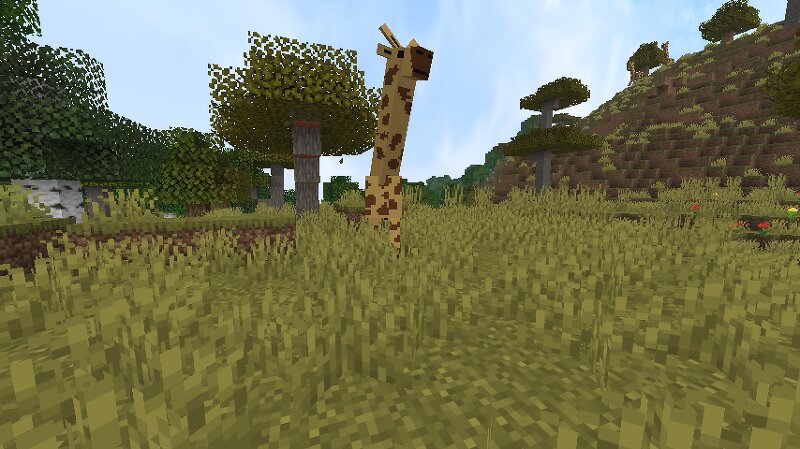
Requirements This mod requires the following dependencies to run: Fabric API TerraBlender GeckoLib Make sure both are installed, otherwise the mod will not load correctly. DESCRIPTION Nature Overhaul expands Minecraft with a variety of new vegetation types and significantly enhances world generation. Forests, meadows, and mountainous regions become more diverse, featuring new plant and mobs species and richer landscapes. Each world feels more vibrant and natural, with denser flora, varied tree types, and unique biomes that make exploration and building more engaging. The mod is currently still in development and not yet complete. Nature Overhaul is designed for players who want to experience a more dynamic, nature-focused world in Minecraft without losing the vanilla feel. WIKI Here you can find detailed information about the mod. Blocks Limestone Can be found abundantly underground Can be crafted into various decorative blocks: Limestone Stairs Limestone Slab Limestone Bricks Limestone Brick Stairs Limestone Brick Slab Limestone Brick Wall Smooth Limestone Smooth Limestone Slab Chiseled Limestone Tomato Bush Found in the Tropical Plains biome Drops: Tomato when broken by hand Itse
Added value
What’s included on this page
Preview, categories, compatibility, and tools on this page — not a bare file mirror.
- Creator
- reiner2009
- Source
- Minecraft downloads library on Eaglercraft Studio
- Type
- Minecraft mod
- Price
- Free download on Eaglercraft Studio
- Curation
- Listed with credit to reiner2009 · studio preview & install guide
- Game Version
- Minecraft 1.21.11
- Compatible with
- Minecraft Java (match version / loader in facts)
- Tags
- Adventure, Blocks, Decorative, Food, Mobs, Nature
Install guide
How to install this free Minecraft mod
Eaglercraft Studio listing with metadata, creator credit, and loader-aware install guidance.
- 1Download the jar/zip when available.
- 2Install the matching loader (Forge, Fabric, or NeoForge) for your Minecraft version.
- 3Drop the mod into your mods folder, then launch with that profile.
Wrong loader or game version usually crashes on startup — read the facts on this page first.
Related free mods
More curated mods from the same library section.

Pastelmooncrafting15 · 67 diamonds · 20 views

PotatoWolfie · 60 diamonds · 2 views

PotatoWolfie · 53 diamonds · 622 views

Janss_33PL · 47 diamonds · 940 views