
New Steps + Slabs + Vertical Slabs
Creator: NeonNinja3 · 2026-02-05 · Mods · Free on Eaglercraft Studio
Download New Steps + Slabs + Vertical Slabs — free Minecraft mod. Created by NeonNinja3. Tagged functional, new content, slabs, stairs. Check the file details for Forge, Fabric, or NeoForge before installing.
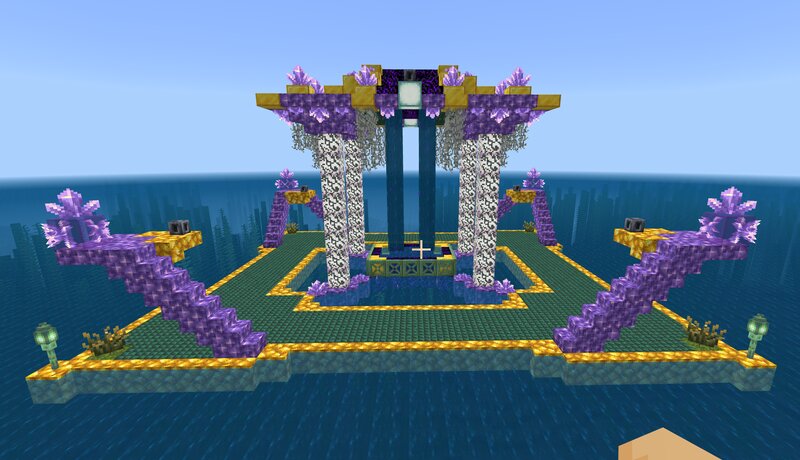
Creator notes
NEW STEPS + SLABS + VERTICAL SLABS Stable version is for Minecraft Bedrock 26.0 - if you want the older experimental 1.21.130 version, you can still download it here . For the first time ever, it's possible to make fully functional custom stairs using the newest features from version 1.26.0 ! Are you wondering how to use this new feature? Check out the announcement about the updated "minecraft:collision_box" component in the changelog here . * As of 2/5/2026, it seems like the documentation hasn't been updated yet to include a syntax example for multiple collision boxes , but you can see it in use in any of the new custom stair variants in this addon . Just change the extension from . mcaddon to . zip and then unzip the folder to view the block . json files (they're inside the "blocks" folder of the behavior pack). Each "minecraft:geometry" variant has its own separate set of collision boxes, and these can be found under the "permutations" section of the stair blocks' . json files. Along with the new "minecraft:support" and "minecraft:connection" components (which affect how other blocks can be placed on or next to the block specified), these will give your custom stairs all the fu
Added value
What’s included on this page
Preview, categories, compatibility, and tools on this page — not a bare file mirror.
- Creator
- NeonNinja3
- Source
- Minecraft downloads library on Eaglercraft Studio
- Type
- Minecraft mod
- Price
- Free download on Eaglercraft Studio
- Curation
- Listed with credit to NeonNinja3 · studio preview & install guide
- Game Version
- Minecraft 1.21.11
- Compatible with
- Minecraft Java (match version / loader in facts)
- Tags
- Functional, New Content, Slabs, Stairs, Steps, Update26
Install guide
How to install this free Minecraft mod
Eaglercraft Studio listing with metadata, creator credit, and loader-aware install guidance.
- 1Download the jar/zip when available.
- 2Install the matching loader (Forge, Fabric, or NeoForge) for your Minecraft version.
- 3Drop the mod into your mods folder, then launch with that profile.
Wrong loader or game version usually crashes on startup — read the facts on this page first.
Related free mods
More curated mods from the same library section.

Pastelmooncrafting15 · 67 diamonds · 20 views

PotatoWolfie · 60 diamonds · 2 views

PotatoWolfie · 53 diamonds · 622 views

Janss_33PL · 47 diamonds · 940 views