
The Last Outbreak 1.0 by Behram
Creator: Behram31 · 2026-06-12 · Mods · Free on Eaglercraft Studio
Download The Last Outbreak 1.0 by Behram — free Minecraft mod. Created by Behram31. Tagged mod, new content, scaryzombiemod, survive. Check the file details for Forge, Fabric, or NeoForge before installing.
Creator notes
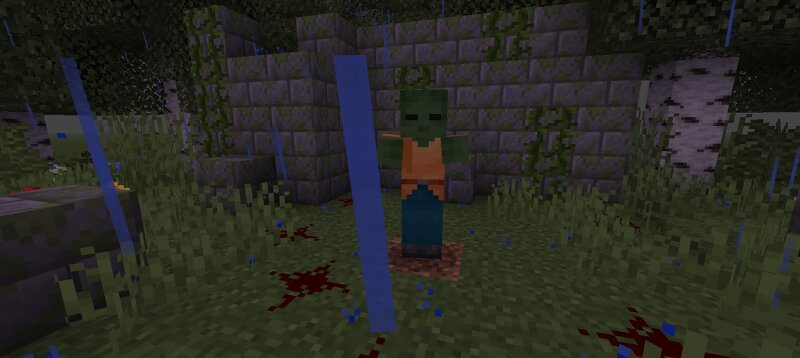
🧟♂️Welcome to The Last Outbreak 1.0! 🧟 Get ready for a terrifying survival experience! This mod, created by Behram Agazade, transforms your Minecraft world into a dangerous zombie apocalypse wasteland. The mod is currently in active development, and more exciting updates are on the way!Can you survive the new horrors walking the earth? Here is everything included in this version: 🛑 The Undead (New Zombies) Watch your back! These are not your ordinary, slow Minecraft zombies. They are faster, smarter, and deadlier:3 Infected Zombies: The core of the outbreak. Resilient and hungry.2 Crazy Zombies: Unpredictable and chaotic mutants that will rush you without hesitation.1 Girl Zombie: A creepy, unique addition to the infected horde.1 Fast Zombie: Your worst nightmare. Run as fast as you can, because it will catch up! ⚔️ The Arsenal (New Weapons) To survive the apocalypse, you need the right tools. Craft these powerful weapons to defend yourself:Katana: Slice through the horde with speed and precision.Old Axe: Heavy, rustic, and packs a massive punch.Classic Sword: A reliable blade for close-quarters combat."Zombie Killer": The ultimate weapon designed for one single purp
Added value
What’s included on this page
Preview, categories, compatibility, and tools on this page — not a bare file mirror.
- Creator
- Behram31
- Source
- Minecraft downloads library on Eaglercraft Studio
- Type
- Minecraft mod
- Price
- Free download on Eaglercraft Studio
- Curation
- Listed with credit to Behram31 · studio preview & install guide
- Game Version
- Minecraft 1.21
- Compatible with
- Minecraft Java (match version / loader in facts)
- Tags
- Mod, New Content, Scaryzombiemod, Survive, Zombie
Install guide
How to install this free Minecraft mod
Eaglercraft Studio listing with metadata, creator credit, and loader-aware install guidance.
- 1Download the jar/zip when available.
- 2Install the matching loader (Forge, Fabric, or NeoForge) for your Minecraft version.
- 3Drop the mod into your mods folder, then launch with that profile.
Wrong loader or game version usually crashes on startup — read the facts on this page first.
Related free mods
More curated mods from the same library section.

Pastelmooncrafting15 · 67 diamonds · 20 views

PotatoWolfie · 60 diamonds · 2 views

PotatoWolfie · 53 diamonds · 622 views

Janss_33PL · 47 diamonds · 940 views