
No More Gap
Creator: xerneas02 · 2026-08-18 · Mods · Free on Eaglercraft Studio
Download No More Gap — free Minecraft mod. Created by xerneas02. Tagged block, build, building, experiment. Check the file details for Forge, Fabric, or NeoForge before installing.
Creator notes
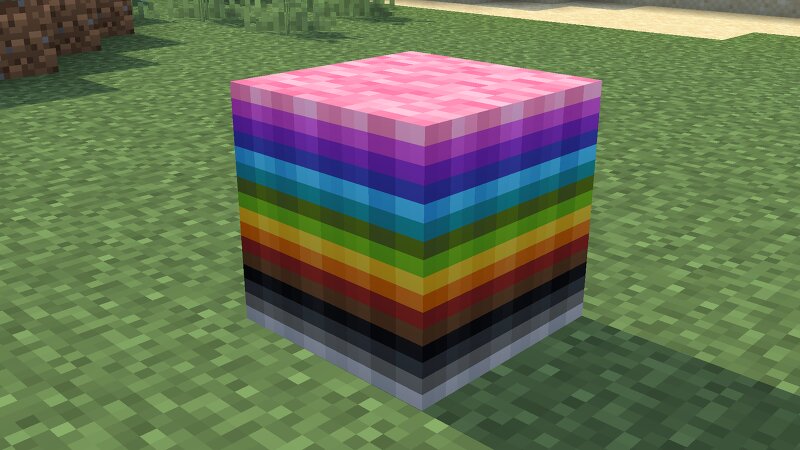
No More Gap No More Gap lets compatible Minecraft blocks occupy the same block space. Place carpets or snow at the feet of plants, torches, doors, lanterns, and many other non-full blocks. Build denser interiors, decorate more freely, and keep interactions with each individual block part. How It Works No More Gap works directly with normal block placement. No new crafting recipe is required. Add a Carpet or Snow Layer at a Block's Feet Hold a carpet, moss carpet, or snow layer. Aim at the lower part of a compatible non-full block, such as a plant, torch, lantern, or door. Right-click. The cover is placed in the same block space as the original block. The original block remains usable. Stack Blocks in the Same Space Place a compatible non-full block. Hold another compatible block. Sneak by holding Shift, then right-click the top face of the existing block. The new block is placed on the available surface inside the same cell. No More Gap prevents overlapping parts and respects the configured part limit. Special Placement and Interactions Sneak and right-click the underside of a block while holding a lantern to hang it in the same space. Doors, trapdoors, gates, levers, redstone lamp
Added value
What’s included on this page
Preview, categories, compatibility, and tools on this page — not a bare file mirror.
- Creator
- xerneas02
- Source
- Minecraft downloads library on Eaglercraft Studio
- Type
- Minecraft mod
- Price
- Free download on Eaglercraft Studio
- Curation
- Listed with credit to xerneas02 · studio preview & install guide
- Game Version
- Minecraft 26.2
- Compatible with
- Minecraft Java (match version / loader in facts)
- Tags
- Block, Build, Building, Experiment, Fabric, Functional
Install guide
How to install this free Minecraft mod
Eaglercraft Studio listing with metadata, creator credit, and loader-aware install guidance.
- 1Download the jar/zip when available.
- 2Install the matching loader (Forge, Fabric, or NeoForge) for your Minecraft version.
- 3Drop the mod into your mods folder, then launch with that profile.
Wrong loader or game version usually crashes on startup — read the facts on this page first.
Related free mods
More curated mods from the same library section.

Pastelmooncrafting15 · 67 diamonds · 20 views

PotatoWolfie · 60 diamonds · 2 views

PotatoWolfie · 53 diamonds · 622 views

Janss_33PL · 47 diamonds · 940 views