
PASTELS v1.1 | Bedrock Edition Addon
Creator: XavierEmeralds · 2026-09-06 · Mods · Free on Eaglercraft Studio
Download PASTELS v1.1 | Bedrock Edition Addon — free Minecraft mod. Created by XavierEmeralds. Tagged addon, aesthetic, bedrock, blocks. Check the file details for Forge, Fabric, or NeoForge before installing.
Creator notes
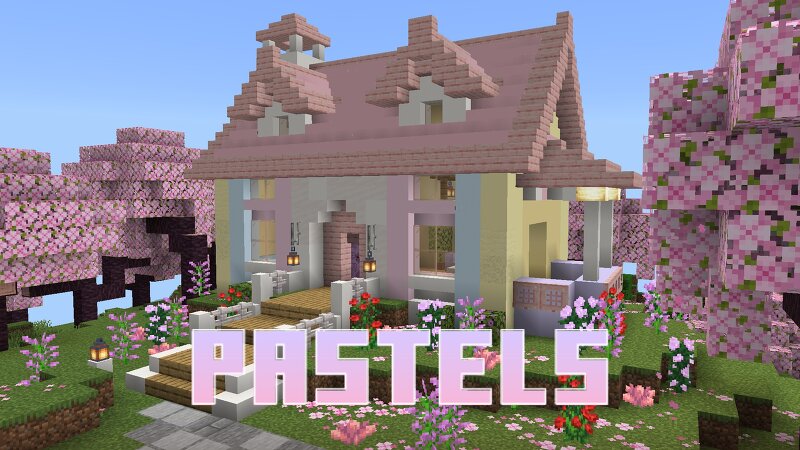
ADDON DEVELOPED BY XavierEmeralds ──────────────────────────── PASTELS Bring a softer side to Minecraft with 200+ new blocks and items , all built around a carefully designed palette of 16 pastel colors . v1.1 released WHAT IS PASTELS? Pastels adds a wide variety of colorful building blocks and items to Minecraft while keeping the look and feel of vanilla Minecraft. The goal is simple: give you more ways to build with soft, coordinated colors without replacing the blocks you already know. With 200+ blocks and items across 16 different pastel colors, Pastels gives you plenty of options for everything from cozy houses and colorful shops to gardens, paths, and larger builds. THE PALETTE Pastels features a carefully designed palette of 16 colors, made to work well together and give your builds a consistent pastel look. Rose Milk • Blush • Cotton Candy • Buttercream • Lemonpuff • Mint • Pistachio • Baby Blue • Cloud Blue • Cloud Cream • Seafoam • Lilac • Lavender • Peach Cream • Periwinkle • Powder Blue WHAT'S INCLUDED? Pastels currently includes: 16 new pastel dyes 16 pastel concrete blocks, stairs, slabs, and walls 16 pastel wool blocks, stairs, slabs, and carpets Stained glass and st
Added value
What’s included on this page
Preview, categories, compatibility, and tools on this page — not a bare file mirror.
- Creator
- XavierEmeralds
- Source
- Minecraft downloads library on Eaglercraft Studio
- Type
- Minecraft mod
- Price
- Free download on Eaglercraft Studio
- Curation
- Listed with credit to XavierEmeralds · studio preview & install guide
- Game Version
- Minecraft 26.2
- Compatible with
- Minecraft Java (match version / loader in facts)
- Tags
- Addon, Aesthetic, Bedrock, Blocks, Building, Cute
Install guide
How to install this free Minecraft mod
Eaglercraft Studio listing with metadata, creator credit, and loader-aware install guidance.
- 1Download the jar/zip when available.
- 2Install the matching loader (Forge, Fabric, or NeoForge) for your Minecraft version.
- 3Drop the mod into your mods folder, then launch with that profile.
Wrong loader or game version usually crashes on startup — read the facts on this page first.
Related free mods
More curated mods from the same library section.

Pastelmooncrafting15 · 67 diamonds · 20 views

PotatoWolfie · 60 diamonds · 2 views

PotatoWolfie · 53 diamonds · 622 views

Janss_33PL · 47 diamonds · 940 views