
Patrix Bonus Blocks
Creator: mattmcbeardface · 2026-09-02 · Mods · Free on Eaglercraft Studio
Download Patrix Bonus Blocks — free Minecraft mod. Created by mattmcbeardface. Tagged other. Check the file details for Forge, Fabric, or NeoForge before installing.
Creator notes
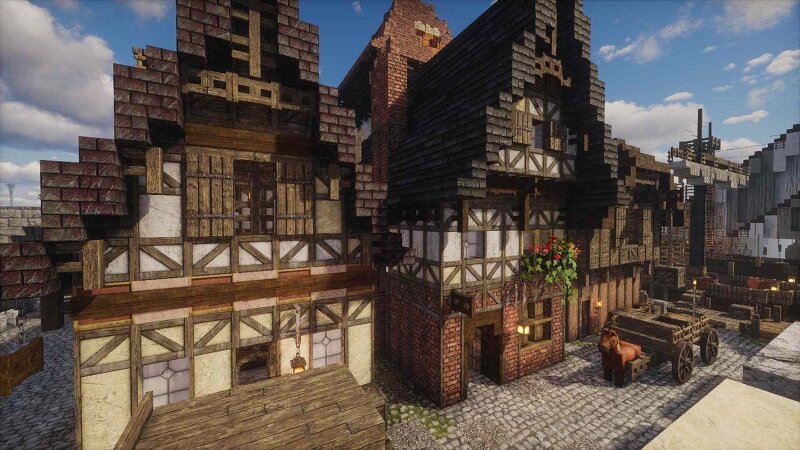
Patrix Bonus Blocks Unofficial Fabric companion mod for Patrix's Bonus Items and Add-ons resource packs. It adds the packs' contents as placeable Creative Mode blocks while keeping the original resource-pack ZIP enabled and unchanged. What does it add? Nothing...Patrix already did that. So what does it do? Patrix Bonus Blocks makes 243 selectable items available in a creative items menu tab; Patrix Bonus Pack texutres that were once tied to vanilla block placement and Patrix Addon Items that were hidden in block states only unlockable via the Debug Stick. Now you don't have to wonder what's nested behind the "Don't use if you don't know what it adds" title of the Patrix Bonus Pack. THIS MOD IS NOT COMPATIBLE WITH PATRIX 32x. 64X OR HIGHER (ALL PACKS) ARE NEEDED FOR THIS MOD TO WORK. Patrix Release Compatiblity: Update 91 - 0.10.1 or higher Update 90 - 0.10.0 Building Materials Dedicated building families include: Log Cabin Concrete Wall Damaged Concrete Stone A Stone B Marble Tile Roof Tiles Thatch Mossy Red Bricks Cobblestone with Stone-Brick Corners Many families include combinations of: Full blocks Slabs Stairs Walls Carpet/thin variants Connected-texture behavior is preserved w
Added value
What’s included on this page
Preview, categories, compatibility, and tools on this page — not a bare file mirror.
- Creator
- mattmcbeardface
- Source
- Minecraft downloads library on Eaglercraft Studio
- Type
- Minecraft mod
- Price
- Free download on Eaglercraft Studio
- Curation
- Listed with credit to mattmcbeardface · studio preview & install guide
- Game Version
- Minecraft 26.2
- Compatible with
- Minecraft Java (match version / loader in facts)
- Tags
- Other
Install guide
How to install this free Minecraft mod
Eaglercraft Studio listing with metadata, creator credit, and loader-aware install guidance.
- 1Download the jar/zip when available.
- 2Install the matching loader (Forge, Fabric, or NeoForge) for your Minecraft version.
- 3Drop the mod into your mods folder, then launch with that profile.
Wrong loader or game version usually crashes on startup — read the facts on this page first.
Related free mods
More curated mods from the same library section.

Pastelmooncrafting15 · 67 diamonds · 20 views

PotatoWolfie · 60 diamonds · 2 views

PotatoWolfie · 53 diamonds · 622 views

Janss_33PL · 47 diamonds · 940 views