
Phantasm (for Minecraft Bedrock)
Creator: ExplerHD · 2026-03-11 · Mods · Free on Eaglercraft Studio
Download Phantasm (for Minecraft Bedrock) — free Minecraft mod. Created by ExplerHD. Tagged addon, addonsurvival, boss, minecraft. Check the file details for Forge, Fabric, or NeoForge before installing.
Creator notes
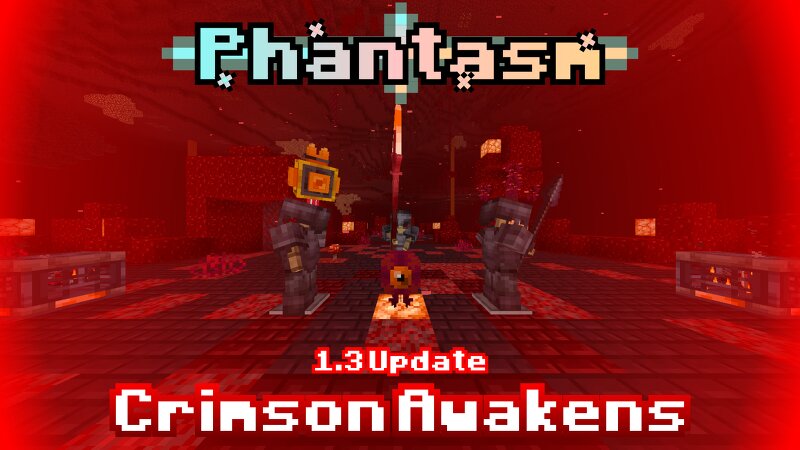
Phantasm expands survival with layered progression: new weapons, tools, enemies, bosses, upgradeable skills, structures, and a built-in in-game guidebook for balanced vanilla-friendly gameplay. Video Trailer : Overview : This add-on will expands how survival works, adding more progression, more weapons, more tools and utilities, more enemies and more bosses. While keeping most of Vanilla aspect unchanged. This Add-On has a built-in Guidebook inside the world, So I would not explain how the progression is inside this Post, otherwise I will show the Contents of the Add-On. This add-On Adds 2 Major Progression on the Early-Game, and Post Ender-Dragon, 6 Weapons, Many Items, One Passive Skill and Upgradeable Statistics, 1 New Structure, and 2 Bosses. Weapons : There are 4 Legendary Weapons (Obtained from Boss Drops) and 2 Epic Weapons (Crafted or Found) : (This is the Collection of ALL EPIC WEAPONS!) Spectric Bow This bow obtained from crafting, this bow does cast custom projectile when the ammo used by the bow is Spectral Arrow , which is Custom Arrow that's crafted from 1 Arrow and 4 Glowstone Dust. Cruxshaper This Mace-like weapon obtained from crafting, this mace ve passive that it
Added value
What’s included on this page
Preview, categories, compatibility, and tools on this page — not a bare file mirror.
- Creator
- ExplerHD
- Source
- Minecraft downloads library on Eaglercraft Studio
- Type
- Minecraft mod
- Price
- Free download on Eaglercraft Studio
- Curation
- Listed with credit to ExplerHD · studio preview & install guide
- Game Version
- Minecraft 26.1
- Compatible with
- Minecraft Java (match version / loader in facts)
- Tags
- Addon, Addonsurvival, Boss, Minecraft, Minecraftaddon, Minecraftbedrock
Install guide
How to install this free Minecraft mod
Eaglercraft Studio listing with metadata, creator credit, and loader-aware install guidance.
- 1Download the jar/zip when available.
- 2Install the matching loader (Forge, Fabric, or NeoForge) for your Minecraft version.
- 3Drop the mod into your mods folder, then launch with that profile.
Wrong loader or game version usually crashes on startup — read the facts on this page first.
Related free mods
More curated mods from the same library section.

Pastelmooncrafting15 · 67 diamonds · 20 views

PotatoWolfie · 60 diamonds · 2 views

PotatoWolfie · 53 diamonds · 622 views

Janss_33PL · 47 diamonds · 940 views