
Phantom Menace: Anvil Edition
Creator: TheDinkDonk · 2026-02-20 · Mods · Free on Eaglercraft Studio
Download Phantom Menace: Anvil Edition — free Minecraft mod. Created by TheDinkDonk. Tagged functional. Check the file details for Forge, Fabric, or NeoForge before installing.
Creator notes
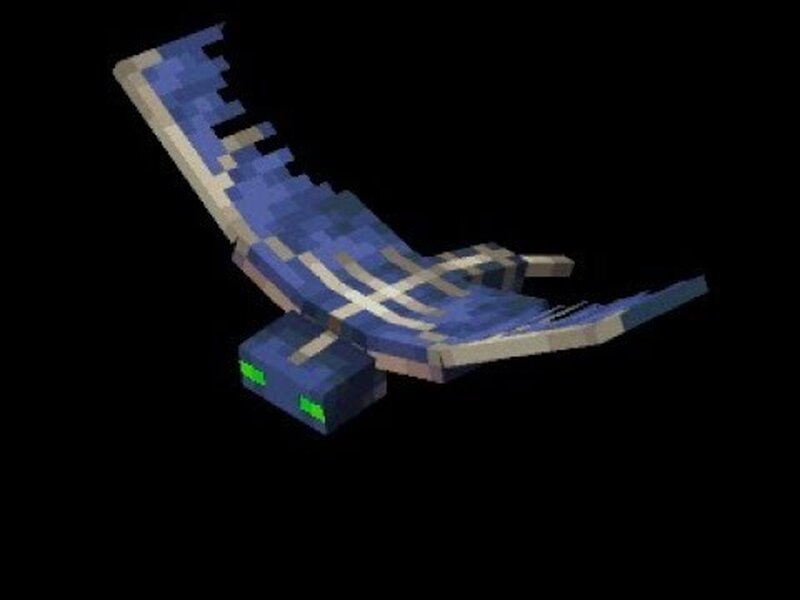
📝 Mod Description: Phantom Menace: Anvil Edition ☁️ The Sky is Falling: Dodge, Survive, Repeat! Have you ever felt like Phantoms are just a bit too... annoying? What if they stopped diving at you and started playing for keeps? Introducing the Phantom Menace: Anvil Edition mod, inspired by a chaotic subscriber suggestion! This mod turns the night sky into a literal construction site of death. 💀 Core Mechanics: Tactical Aerial Assault Tired of Phantoms knocking you off ledges? Now they won’t even give you a chance to hit them back with a sword. The Drop: Phantoms no longer dive down to attack. Instead, they hover directly over your head and drop Iron Anvils from the stratosphere. The Gravity of the Situation: These aren't just props—if an anvil hits you, it’s most likely an instant death . Roof Meta: You better stay under a roof or keep moving, because once they lock on, the sky starts raining heavy metal. 🧨 The "TNT Edition" Mode: Pure Chaos If you think falling anvils are bad, you haven't seen anything yet. For those who want to turn their survival world into a war zone, we have a special gift. The Command: Type /tntedition start to activate the ultimate nightmare. The Upgrade: In
Added value
What’s included on this page
Preview, categories, compatibility, and tools on this page — not a bare file mirror.
- Creator
- TheDinkDonk
- Source
- Minecraft downloads library on Eaglercraft Studio
- Type
- Minecraft mod
- Price
- Free download on Eaglercraft Studio
- Curation
- Listed with credit to TheDinkDonk · studio preview & install guide
- Game Version
- Minecraft 1.21.1
- Compatible with
- Minecraft Java (match version / loader in facts)
- Tags
- Functional
Install guide
How to install this free Minecraft mod
Eaglercraft Studio listing with metadata, creator credit, and loader-aware install guidance.
- 1Download the jar/zip when available.
- 2Install the matching loader (Forge, Fabric, or NeoForge) for your Minecraft version.
- 3Drop the mod into your mods folder, then launch with that profile.
Wrong loader or game version usually crashes on startup — read the facts on this page first.
Related free mods
More curated mods from the same library section.

Pastelmooncrafting15 · 67 diamonds · 20 views

PotatoWolfie · 60 diamonds · 2 views

PotatoWolfie · 53 diamonds · 622 views

Janss_33PL · 47 diamonds · 940 views