
Phantom Warning
Creator: marcsanz-dev · 2026-02-24 · Mods · Free on Eaglercraft Studio
Download Phantom Warning — free Minecraft mod. Created by marcsanz-dev. Tagged other. Check the file details for Forge, Fabric, or NeoForge before installing.
Creator notes
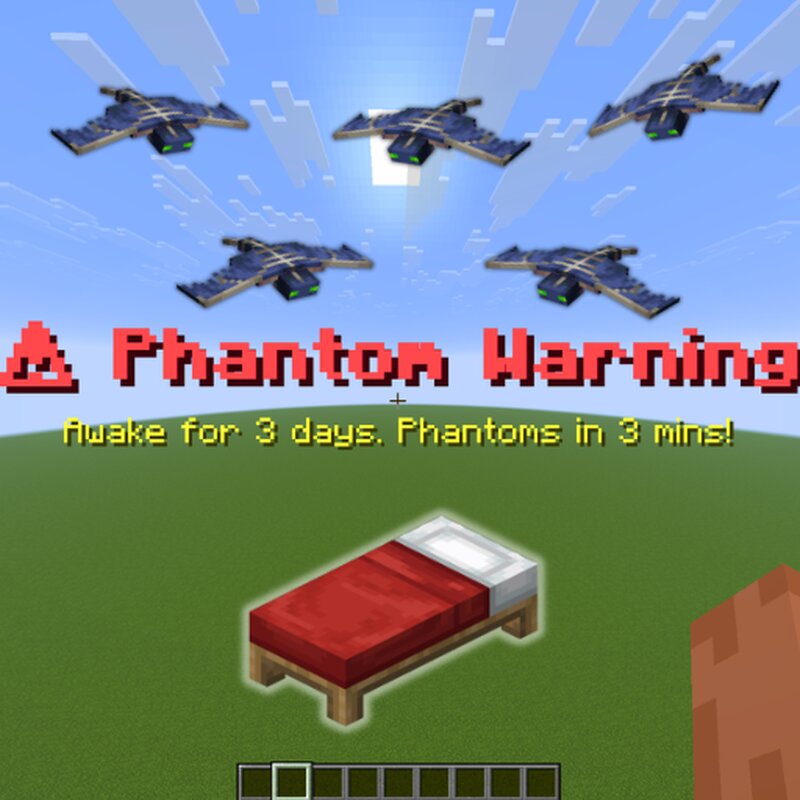
Phantom Warning Never get caught off guard by Phantoms again! Phantom Warning is a highly focused Quality of Life (QoL) mod that alerts you exactly when you are in danger, while also keeping track of your longest sleepless streaks. 🦇 Core Features The 3-Minute Alert The mod securely tracks your sleep statistics in the background. If you haven't slept for 3 in-game days, it will display a large, unmissable on-screen warning exactly 3 real-time minutes before the sun sets and Phantoms start spawning. You'll have just enough time to safely find a bed or prepare your weapons for a fight! ⚔️ Personal Record Tracker Are you trying to survive as long as possible without sleeping? The mod permanently saves your highest consecutive days awake per world. If you surpass your previous limit, it will cheer you on with a special on-screen notification. 🏆 On-Demand Status Check Don't remember how many days it's been since you last slept? Simply press the dedicated hotkey to instantly view your current days awake and your all-time personal record directly on the screen. 📊 Native Integration The status check keybind is fully integrated into the Vanilla controls menu. By default, it is bound to the
Added value
What’s included on this page
Preview, categories, compatibility, and tools on this page — not a bare file mirror.
- Creator
- marcsanz-dev
- Source
- Minecraft downloads library on Eaglercraft Studio
- Type
- Minecraft mod
- Price
- Free download on Eaglercraft Studio
- Curation
- Listed with credit to marcsanz-dev · studio preview & install guide
- Game Version
- Minecraft 1.21.11
- Compatible with
- Minecraft Java (match version / loader in facts)
- Tags
- Other
Install guide
How to install this free Minecraft mod
Eaglercraft Studio listing with metadata, creator credit, and loader-aware install guidance.
- 1Download the jar/zip when available.
- 2Install the matching loader (Forge, Fabric, or NeoForge) for your Minecraft version.
- 3Drop the mod into your mods folder, then launch with that profile.
Wrong loader or game version usually crashes on startup — read the facts on this page first.
Related free mods
More curated mods from the same library section.

Pastelmooncrafting15 · 67 diamonds · 20 views

PotatoWolfie · 60 diamonds · 2 views

PotatoWolfie · 53 diamonds · 622 views

Janss_33PL · 47 diamonds · 940 views