
Pig Creeper Swap Add-On
Creator: SamuelTheCrafter · 2026-04-21 · Mods · Free on Eaglercraft Studio
Download Pig Creeper Swap Add-On — free Minecraft mod. Created by SamuelTheCrafter. Tagged bedrock, creeper, mob, other. Check the file details for Forge, Fabric, or NeoForge before installing.
Creator notes
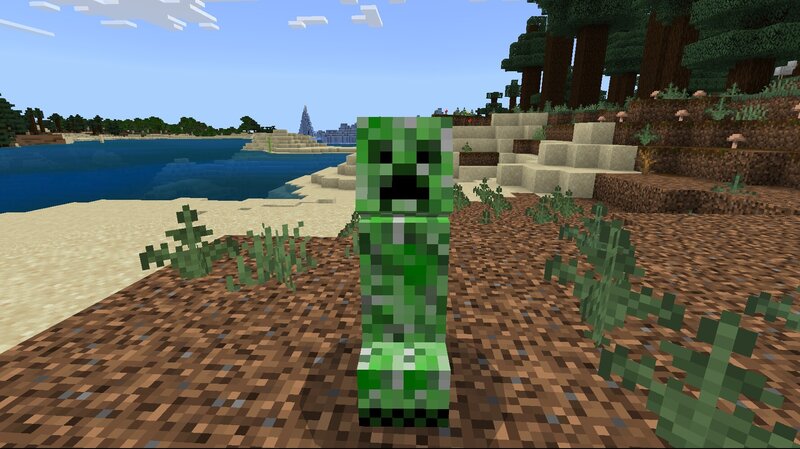
Ever wondered what Minecraft would feel like if two of its most iconic mobs completely switched roles? This add‑on flips the script by swapping pigs and creepers , creating a chaotic, hilarious, and surprisingly challenging twist on normal gameplay. What This Add-On Does Creepers are replaced with pigs They look like pigs, they act like pigs… until they don’t. These “pigs” will still explode just like creepers, catching players off guard in the funniest (and most dangerous) ways. Pigs are replaced with creepers Your friendly farm animals now look like creepers, but don’t worry — they behave exactly like pigs. They won’t explode, but they will make your farm look terrifying. Why You'll Love It Adds instant chaos and comedy to any world Keeps the game familiar but unpredictably fun Lightweight and compatible with most other add-ons Installation Just import the pack into Minecraft Bedrock, enable it in your world settings, and enjoy the madness. Final Notes This add-on is meant for fun, challenge, and a bit of confusion. If you enjoy quirky gameplay twists, this one fits right in.
Added value
What’s included on this page
Preview, categories, compatibility, and tools on this page — not a bare file mirror.
- Creator
- SamuelTheCrafter
- Source
- Minecraft downloads library on Eaglercraft Studio
- Type
- Minecraft mod
- Price
- Free download on Eaglercraft Studio
- Curation
- Listed with credit to SamuelTheCrafter · studio preview & install guide
- Game Version
- Minecraft 26.1.1
- Compatible with
- Minecraft Java (match version / loader in facts)
- Tags
- Bedrock, Creeper, Mob, Other, Pig
Install guide
How to install this free Minecraft mod
Eaglercraft Studio listing with metadata, creator credit, and loader-aware install guidance.
- 1Download the jar/zip when available.
- 2Install the matching loader (Forge, Fabric, or NeoForge) for your Minecraft version.
- 3Drop the mod into your mods folder, then launch with that profile.
Wrong loader or game version usually crashes on startup — read the facts on this page first.
Related free mods
More curated mods from the same library section.

Pastelmooncrafting15 · 67 diamonds · 20 views

PotatoWolfie · 60 diamonds · 2 views

PotatoWolfie · 53 diamonds · 622 views

Janss_33PL · 47 diamonds · 940 views