
Pixelated Enchants
Creator: MaMiBett · 2026-09-05 · Mods · Free on Eaglercraft Studio
Download Aesthetic Minecraft mod — free Minecraft mod. Created by MaMiBett. Tagged aesthetic, clientside, cosmetic, customization. Check the file details for Forge, Fabric, or NeoForge before installing.
Creator notes
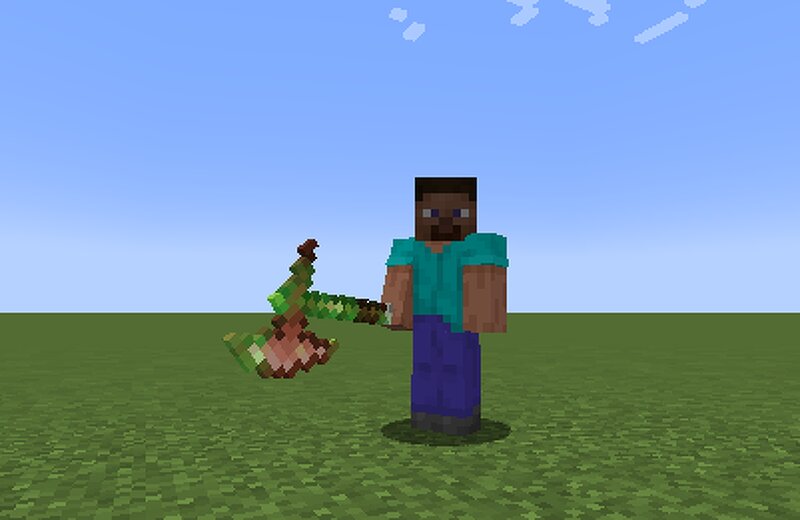
You can find other versions soon on CurseForge! Advanced Glint Customization Pixelated Enchants allows you to customize much more than just enchantment colors. Customize individual items with their own: Glint color Glint pattern Animation speed Brightness Item overrides can distinguish items using their item data, name, enchantments, and relevant custom data, making them useful for custom server items as well. Multi-Enchantment Color Mixing Items with multiple enchantments can combine their configured colors into a single animated glint. Instead of adding multiple overlapping glint layers, Pixelated Enchants mixes the colors inside one glint effect for cleaner rendering. Supported Glint Types Custom glints are supported across: Held items Armor Shields Tridents Arrows Tipped Arrows Spectral Arrows Tipped Arrows can automatically use their potion/effect color. Glint Patterns Available patterns include: Diagonal Wave Horizontal Sweep Vertical Sweep Center Ripple Random Burst Random Spark Flow Full Glow Solid Vanilla Smooth Fusion Share Your Style Your glint configuration can be exported as a compact ETG style code . You can: Copy your own style Share it with another player Import ano
Added value
What’s included on this page
Preview, categories, compatibility, and tools on this page — not a bare file mirror.
- Creator
- MaMiBett
- Source
- Minecraft downloads library on Eaglercraft Studio
- Type
- Minecraft mod
- Price
- Free download on Eaglercraft Studio
- Curation
- Listed with credit to MaMiBett · studio preview & install guide
- Game Version
- Minecraft 1.21.4
- Compatible with
- Minecraft Java (match version / loader in facts)
- Tags
- Aesthetic, Clientside, Cosmetic, Customization, Enchantments, Fabric
Install guide
How to install this free Minecraft mod
Eaglercraft Studio listing with metadata, creator credit, and loader-aware install guidance.
- 1Download the jar/zip when available.
- 2Install the matching loader (Forge, Fabric, or NeoForge) for your Minecraft version.
- 3Drop the mod into your mods folder, then launch with that profile.
Wrong loader or game version usually crashes on startup — read the facts on this page first.
Related free mods
More curated mods from the same library section.

Pastelmooncrafting15 · 67 diamonds · 20 views

PotatoWolfie · 60 diamonds · 2 views

PotatoWolfie · 53 diamonds · 622 views

Janss_33PL · 47 diamonds · 940 views