
Player Jockey v0.10 - Patch Fix
Creator: AdemiskMC · 2026-01-07 · Mods · Free on Eaglercraft Studio
Download Player Jockey v0.10 - Patch Fix — free Minecraft mod. Created by AdemiskMC. Tagged new content, player, script. Check the file details for Forge, Fabric, or NeoForge before installing.
Creator notes
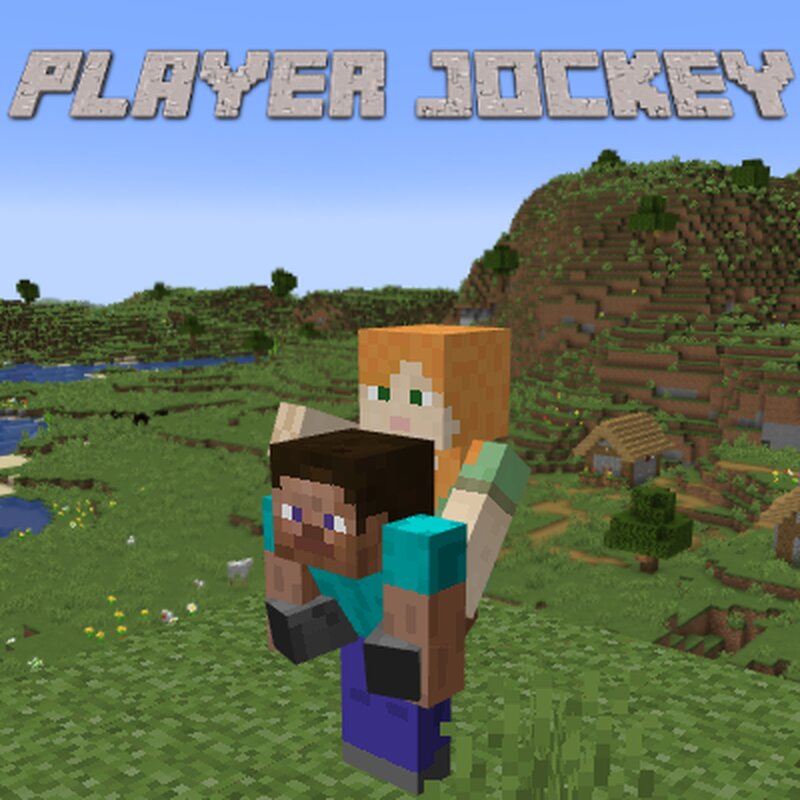
Charge into battle with a friend(ly) mount. No need for clunky mount controls or incomprehensible AI to drive you, when your friend can take the wheel! This addon allows you to give and receive rides from other players. Note: friend required. How To Use: Clear both your hands of items. Empty the off-hand and main-hand (select a free slot in the hotbar). Hold the sneak button. Slight animation will play to show you’re rideable. Another player can interact with you now to get on. Upon getting on, both mount and rider are shown the flag statuses of the mount, so everyone knows how to interact. How to Evict Rider: Rider presses sneak button Press the attack button Be in water Be gliding Start riding something Fill off-hand slot Fill main-hand slot (Note: does not apply to picking up items off the ground) Leave world Customizeable Settings In addition, you can set flags to adjust the addon to your needs. These flags are player-specific, so everyone can set theirs as they please. /ridertakesloot [true/false] - Defaults to false . Used like a regular command with 1 parameter (true or false) to set it, or with 0 parameters to check the current state. When set to true , loot picked up by t
Added value
What’s included on this page
Preview, categories, compatibility, and tools on this page — not a bare file mirror.
- Creator
- AdemiskMC
- Source
- Minecraft downloads library on Eaglercraft Studio
- Type
- Minecraft mod
- Price
- Free download on Eaglercraft Studio
- Curation
- Listed with credit to AdemiskMC · studio preview & install guide
- Game Version
- Minecraft 26.1
- Compatible with
- Minecraft Java (match version / loader in facts)
- Tags
- New Content, Player, Script
Install guide
How to install this free Minecraft mod
Eaglercraft Studio listing with metadata, creator credit, and loader-aware install guidance.
- 1Download the jar/zip when available.
- 2Install the matching loader (Forge, Fabric, or NeoForge) for your Minecraft version.
- 3Drop the mod into your mods folder, then launch with that profile.
Wrong loader or game version usually crashes on startup — read the facts on this page first.
Related free mods
More curated mods from the same library section.

Pastelmooncrafting15 · 67 diamonds · 20 views

PotatoWolfie · 60 diamonds · 2 views

PotatoWolfie · 53 diamonds · 622 views

Janss_33PL · 47 diamonds · 940 views