
PlunderPixel's Shader Reimagined
Creator: PlunderPixels · 2026-07-05 · Mods · Free on Eaglercraft Studio
Download PlunderPixel's Shader Reimagined — free Minecraft mod. Created by PlunderPixels. Tagged aesthetic, beautiful, bright, crisp. Check the file details for Forge, Fabric, or NeoForge before installing.
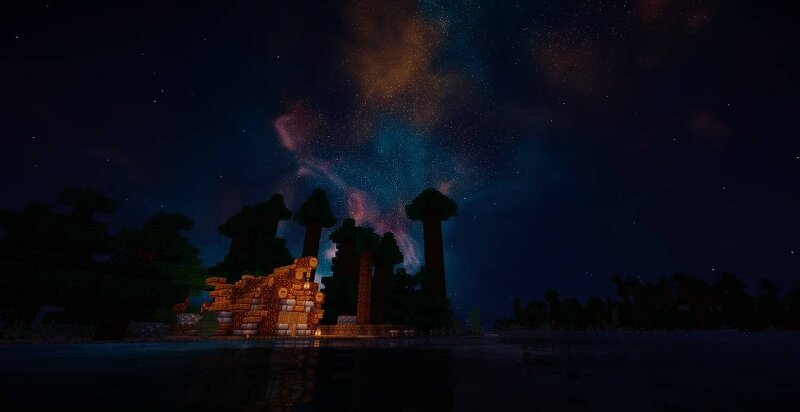
Creator notes
PlunderPixels Shaders - Reimagined After over a decade in slumber.... The pack you remember is back! Rebuilt from the ground up. Years on, PlunderPixels returns. The shader that gave so many worlds their glow has been fully revamped by its original creator, re-engineered for modern Minecraft and the latest OptiFine and Iris. Same soul, brand new engine. Everything you loved is here, and everything that felt dated is gone. This is not a re-upload. It is a top-to-bottom rebuild. What's new Living, breathing world. Grass, crops, leaves and flowers sway in the wind and stay rooted at the base like real plants. Tall grass bends as continuous blades, and even the sunflower's head rides the stalk without breaking. No more stiff we keep it buttery. Real soft sun shadows. Clean, believable directional shadows that ground everything to the world, with adjustable softness and depth. Full PBR support (labPBR). Drop in a PBR resource pack and watch blocks come alive: deep normal-mapped surface detail, per-material reflectivity, ambient occlusion in the crevices, and true emissive blocks that glow in the dark. Lava, lanterns, glowstone and ores light up on their own. Reflective water, done right
Added value
What’s included on this page
Preview, categories, compatibility, and tools on this page — not a bare file mirror.
- Creator
- PlunderPixels
- Source
- Minecraft downloads library on Eaglercraft Studio
- Type
- Minecraft mod
- Price
- Free download on Eaglercraft Studio
- Curation
- Listed with credit to PlunderPixels · studio preview & install guide
- Game Version
- Minecraft 1.21.11
- Compatible with
- Minecraft Java (match version / loader in facts)
- Tags
- Aesthetic, Beautiful, Bright, Crisp, Golden, Labpbr
Install guide
How to install this free Minecraft mod
Eaglercraft Studio listing with metadata, creator credit, and loader-aware install guidance.
- 1Download the jar/zip when available.
- 2Install the matching loader (Forge, Fabric, or NeoForge) for your Minecraft version.
- 3Drop the mod into your mods folder, then launch with that profile.
Wrong loader or game version usually crashes on startup — read the facts on this page first.
Related free mods
More curated mods from the same library section.

Pastelmooncrafting15 · 67 diamonds · 20 views

PotatoWolfie · 60 diamonds · 2 views

PotatoWolfie · 53 diamonds · 622 views

Janss_33PL · 47 diamonds · 940 views