
Problematics (Neoforge)
Creator: Dragons1019367 · 2025-12-16 · Mods · Free on Eaglercraft Studio
Download Problematics (Neoforge) — free Minecraft mod. Created by Dragons1019367. Tagged new content. Check the file details for Forge, Fabric, or NeoForge before installing.
Creator notes
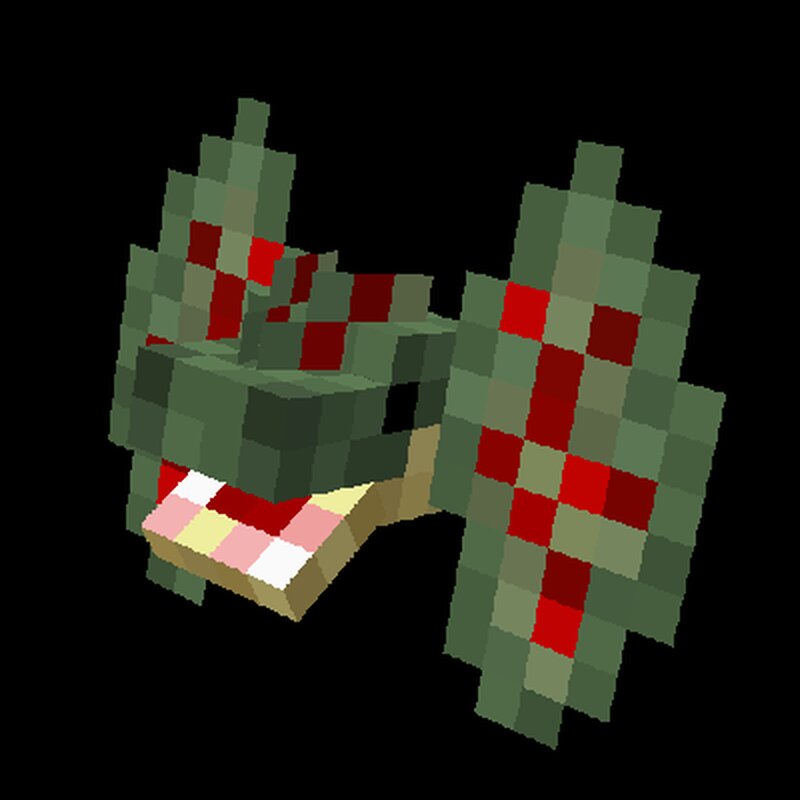
Problematics adds lots of new mobs to the game to make the game more challenging. This mod is inspired by Lycanites Mobs and Born in Chaos . So far it adds 9 new mobs to the game, 1 new biome and 33 new survival-friendly items. (not including spawn eggs) Includes compatibility with Biomes o' Plenty . Many aspects of the mod use json tags and loot tables, making them configurable using datapacks. Command: /problematicsstats Problematics also has built-in documentation in the form of a command that prints info in the chat. Unfortunately, since the mod is in early developement, and most of this information is already on this page, the command only works for chupacabra for now. /problematicsstats entry For example: /problematicsstats chupacabra would print the following in the chat: Chupacabra Max Health: 16 Melee Damage: 4 Speed: 0.35 Exp: 4 Natural Armor: 2 Spawn Weight: 20 Default Spawn Biomes: all overworld biomes ('problematics:chupa_spawn_biomes') Mobs List of mobs: ( Passive , Neutral , Hostile , Boss ) Click to reveal Chupacabra *inspired by chupacabra from Lycanites Mobs* 16 HP, 4 Melee Damage, 2 Armor, 4 Exp, 0.35 Speed. Drops raw chupacabra ribs and leather. Can be bred with
Added value
What’s included on this page
Preview, categories, compatibility, and tools on this page — not a bare file mirror.
- Creator
- Dragons1019367
- Source
- Minecraft downloads library on Eaglercraft Studio
- Type
- Minecraft mod
- Price
- Free download on Eaglercraft Studio
- Curation
- Listed with credit to Dragons1019367 · studio preview & install guide
- Game Version
- Minecraft 1.21.8
- Compatible with
- Minecraft Java (match version / loader in facts)
- Tags
- New Content
Install guide
How to install this free Minecraft mod
Eaglercraft Studio listing with metadata, creator credit, and loader-aware install guidance.
- 1Download the jar/zip when available.
- 2Install the matching loader (Forge, Fabric, or NeoForge) for your Minecraft version.
- 3Drop the mod into your mods folder, then launch with that profile.
Wrong loader or game version usually crashes on startup — read the facts on this page first.
Related free mods
More curated mods from the same library section.

Pastelmooncrafting15 · 67 diamonds · 20 views

PotatoWolfie · 60 diamonds · 2 views

PotatoWolfie · 53 diamonds · 622 views

Janss_33PL · 47 diamonds · 940 views