
PS1T Objects mod
Creator: pietmeme · 2026-09-12 · Mods · Free on Eaglercraft Studio
Download PS1T Objects mod — free Minecraft mod. Created by pietmeme. Tagged addition, deviantart, mod, new content. Check the file details for Forge, Fabric, or NeoForge before installing.
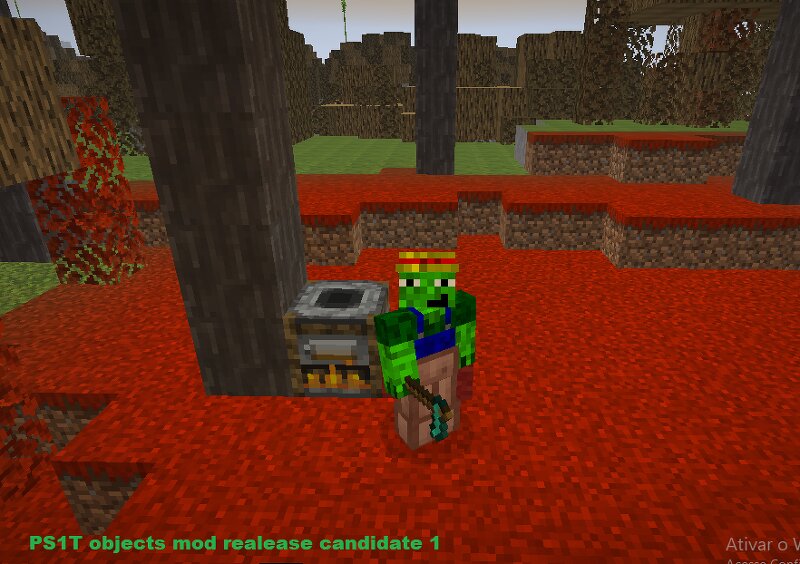
Creator notes
PS1T Objects mod adciona: Blocos: Enxofre(26.2) Enxofre Pólido(26.2) Dente de leão dourado(26.1) Baú de cobre(1.21.9) Lajes de lã([todas execto a marrom] 26.3) Escadas de lã([Branca, Azul, Vemelha e Amarela] 26.3) Madeira de álamo([execto o broto(sapling)]26.3) Veículo de feno(Não existe no Minecraft vanillia) Cascalho com grama(Não existe no Minecraft vanillia) Alçapão do controle(Não existe no Minecraft vanillia) Porta de terra(Não existe no Minecraft vanillia) Minério/Bloco de Infinore(Não existe no Minecraft vanillia) Espinho de Enxofre Estatueta do Golem de Cobre Entidades: Golem de cobre(1.21.9) Náutilo(1.21.11) Pietmeme(Passivo) Bluebird(Passivo) Cubo de enxofre(26.2) Enderman Espectral(Hostil) Itens: Infiniore Espada do Pietmeme Picareta do Bluebird Lanças(1.21.11) Pérola de vento Ferramentas e Armadura de cobre(1.21.9) Ferramentas de Infinore Guia do mod Pistola Bala Biomas: Floresta de álamo(26.3) Caverna de enxofre(26.2) Cama de feno(26.3) Planices Casalhadas Avisos: 1- Compatível SOMENTE para neoforge 1.21.8 2- Extensão de arquivo: .jar 3- Não recomendado para menores de 13 anos de acordo com a classificação indicativa do Minecraft 4- Comentários estão PROIBIDOS nest
Added value
What’s included on this page
Preview, categories, compatibility, and tools on this page — not a bare file mirror.
- Creator
- pietmeme
- Source
- Minecraft downloads library on Eaglercraft Studio
- Type
- Minecraft mod
- Price
- Free download on Eaglercraft Studio
- Curation
- Listed with credit to pietmeme · studio preview & install guide
- Game Version
- Minecraft 1.21.8
- Compatible with
- Minecraft Java (match version / loader in facts)
- Tags
- Addition, Deviantart, Mod, New Content, Other
Install guide
How to install this free Minecraft mod
Eaglercraft Studio listing with metadata, creator credit, and loader-aware install guidance.
- 1Download the jar/zip when available.
- 2Install the matching loader (Forge, Fabric, or NeoForge) for your Minecraft version.
- 3Drop the mod into your mods folder, then launch with that profile.
Wrong loader or game version usually crashes on startup — read the facts on this page first.
Related free mods
More curated mods from the same library section.

Pastelmooncrafting15 · 67 diamonds · 20 views

PotatoWolfie · 60 diamonds · 2 views

PotatoWolfie · 53 diamonds · 622 views

Janss_33PL · 47 diamonds · 940 views