
Purescale | Frame Generation & DLSS Mod
Creator: xsoras · 2026-07-13 · Mods · Free on Eaglercraft Studio
Download Purescale | Frame Generation & DLSS Mod — free Minecraft mod. Created by xsoras. Tagged fabric, fps, framegeneration, function. Check the file details for Forge, Fabric, or NeoForge before installing.
Creator notes
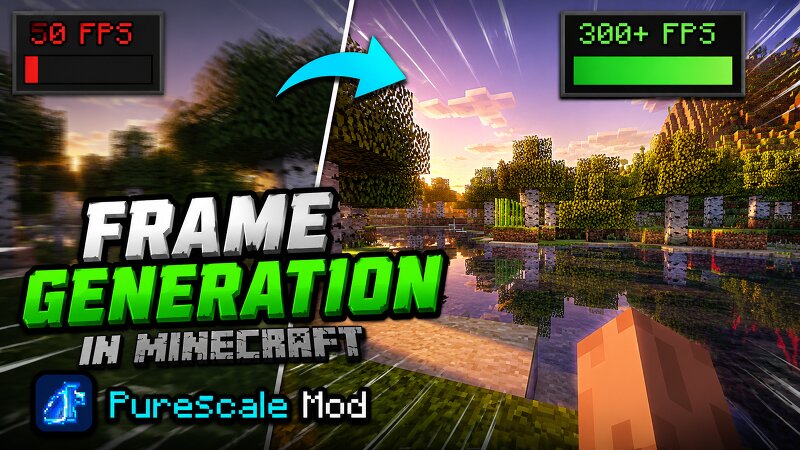
Purescale is a client-side mod that gives you more FPS through upscaling and frame generation. It runs on pretty much any GPU. The idea is simple. It renders the game at a lower resolution and then rebuilds it back up to full res, so you keep most of the sharpness for a fraction of the cost. The HUD and menus stay at native resolution, so text and inventory icons are still crisp. You get to pick which upscaler you want, from AMD's FSR1 all the way to real NVIDIA DLSS if you're on an RTX card. It helps the most when your GPU is the bottleneck, like at high resolutions or with shaders and path tracing. There's also frame generation. It takes two rendered frames and fills in the frames in between them, which makes motion look smoother even when your CPU can't keep up. No RTX or tensor cores needed for this part. It works on any GPU that can run Minecraft, and it plays fine with shaderpacks. Upscalers XAIS 2 ULTRA (default) and XAIS 1, my own temporal reconstruction AMD FSR1 (EASU + RCAS) XeSS-Style and NIS-Style DLAA, for anti-aliasing at native res without dropping resolution Sharpen Only, just RCAS sharpening and nothing else Nearest, Bilinear and Bicubic for the cheap simple fi
Added value
What’s included on this page
Preview, categories, compatibility, and tools on this page — not a bare file mirror.
- Creator
- xsoras
- Source
- Minecraft downloads library on Eaglercraft Studio
- Type
- Minecraft mod
- Price
- Free download on Eaglercraft Studio
- Curation
- Listed with credit to xsoras · studio preview & install guide
- Game Version
- Minecraft 26.2
- Compatible with
- Minecraft Java (match version / loader in facts)
- Tags
- Fabric, Fps, Framegeneration, Function, Functional, Minecraft
Install guide
How to install this free Minecraft mod
Eaglercraft Studio listing with metadata, creator credit, and loader-aware install guidance.
- 1Download the jar/zip when available.
- 2Install the matching loader (Forge, Fabric, or NeoForge) for your Minecraft version.
- 3Drop the mod into your mods folder, then launch with that profile.
Wrong loader or game version usually crashes on startup — read the facts on this page first.
Related free mods
More curated mods from the same library section.

Pastelmooncrafting15 · 67 diamonds · 20 views

PotatoWolfie · 60 diamonds · 2 views

PotatoWolfie · 53 diamonds · 622 views

Janss_33PL · 47 diamonds · 940 views