
Quick Link
Creator: nadlop · 2026-02-14 · Mods · Free on Eaglercraft Studio
Download Quick Link — free Minecraft mod. Created by nadlop. Tagged functional. Check the file details for Forge, Fabric, or NeoForge before installing.
Creator notes
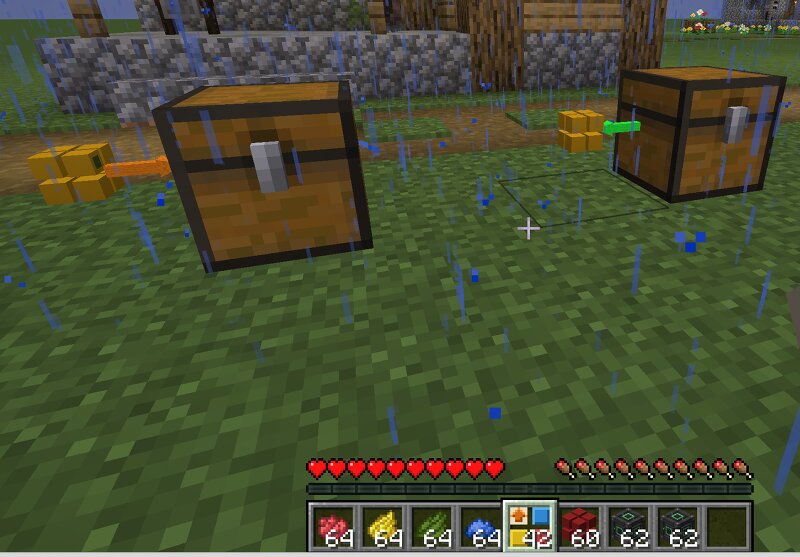
▶ Watch Showcase Video Quick Link Minecraft mod adds a lightweight and intuitive wireless item, fluid , energy , and chemical transfer system to Minecraft. What's New Jade & WTHIT Integration Native Jade and WTHIT support – look at any Plug block to see live transfer information View the current upgrade tier and speed multiplier See the configured maximum transfer rate Monitor actual incoming and outgoing transfer amounts Idle plugs are clearly marked as Idle FTB Teams & FTB Chunks Integration Team-isolated networks – with FTB Teams installed, matching colors only connect blocks belonging to the same team Claim-aware networks – with FTB Chunks installed, plugs inside claimed chunks use the claim owner's team network Claim and non-claim networks stay separate – even when owned by the same team Perfect for multiplayer servers and shared bases , preventing accidental connections to another team's network Important: Installing FTB Chunks on an existing world that already uses Quick Link with FTB Teams may split some existing networks. Plugs inside claimed chunks will be separated from plugs outside claims. Reconfigure or repaint affected sides if necessary. Color Removal Clear indivi
Added value
What’s included on this page
Preview, categories, compatibility, and tools on this page — not a bare file mirror.
- Creator
- nadlop
- Source
- Minecraft downloads library on Eaglercraft Studio
- Type
- Minecraft mod
- Price
- Free download on Eaglercraft Studio
- Curation
- Listed with credit to nadlop · studio preview & install guide
- Game Version
- Minecraft 26.2
- Compatible with
- Minecraft Java (match version / loader in facts)
- Tags
- Functional
Install guide
How to install this free Minecraft mod
Eaglercraft Studio listing with metadata, creator credit, and loader-aware install guidance.
- 1Download the jar/zip when available.
- 2Install the matching loader (Forge, Fabric, or NeoForge) for your Minecraft version.
- 3Drop the mod into your mods folder, then launch with that profile.
Wrong loader or game version usually crashes on startup — read the facts on this page first.
Related free mods
More curated mods from the same library section.

Pastelmooncrafting15 · 67 diamonds · 20 views

PotatoWolfie · 60 diamonds · 2 views

PotatoWolfie · 53 diamonds · 622 views

Janss_33PL · 47 diamonds · 940 views