
RankProgression
Creator: WardMod · 2026-07-21 · Mods · Free on Eaglercraft Studio
Download RankProgression — free Minecraft mod. Created by WardMod. Tagged mobs, new content, rankedsystem, rpg. Check the file details for Forge, Fabric, or NeoForge before installing.
Creator notes
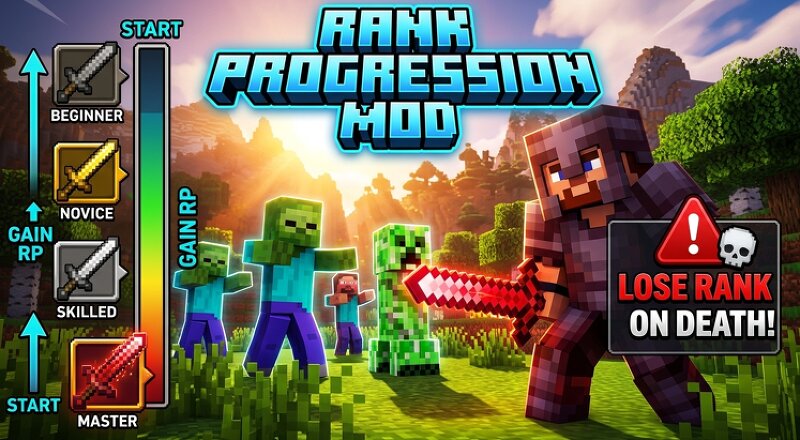
# 🏆 RankProgression Welcome to **RankProgression**, the ultimate survival mod that turns your Minecraft world into a progressive competitive challenge! ## 🌟 Key Features: * **Rank Points (RP) System:** Forget traditional XP! Earn custom **RP** to level up your rank and unlock new tiers. * **Earn RP Your Way:** * ⚔️ **Monster Hunting:** Defeat mobs and bosses to secure heavy RP. * ⛏️ **Resource Mining:** Mine valuable ores to gain steady RP and advance safely. * **Dynamic Difficulty:** The higher your rank, the harder the survival environment becomes. * **The Ultimate Goal:** Reach the absolute **Insane Rank** to unlock the End Portal and beat the game. ## ⚔️ The Ultimate Reward: Reaching the highest rank doesn't just grant a title—it unlocks the **Sword of Insaner Sword**, a weapon of immense power to dominate your world! ## 💀 High Stakes (Better than Hardcore!): * **Fear the Death:** Dying is punishing! Losing your life will drop you an **entire Rank Level**. * **The Perfect Balance:** This adds intense stakes and genuine fear to your gameplay without the world-deleting frustration of Hardcore mode.
Added value
What’s included on this page
Preview, categories, compatibility, and tools on this page — not a bare file mirror.
- Creator
- WardMod
- Source
- Minecraft downloads library on Eaglercraft Studio
- Type
- Minecraft mod
- Price
- Free download on Eaglercraft Studio
- Curation
- Listed with credit to WardMod · studio preview & install guide
- Game Version
- Minecraft 1.20.1
- Compatible with
- Minecraft Java (match version / loader in facts)
- Tags
- Mobs, New Content, Rankedsystem, Rpg, Survival
Install guide
How to install this free Minecraft mod
Eaglercraft Studio listing with metadata, creator credit, and loader-aware install guidance.
- 1Download the jar/zip when available.
- 2Install the matching loader (Forge, Fabric, or NeoForge) for your Minecraft version.
- 3Drop the mod into your mods folder, then launch with that profile.
Wrong loader or game version usually crashes on startup — read the facts on this page first.
Related free mods
More curated mods from the same library section.

Pastelmooncrafting15 · 67 diamonds · 20 views

PotatoWolfie · 60 diamonds · 2 views

PotatoWolfie · 53 diamonds · 622 views

Janss_33PL · 47 diamonds · 940 views