
Reactive World
Creator: Brezidan · 2026-05-06 · Mods · Free on Eaglercraft Studio
Download Reactive World — free Minecraft mod. Created by Brezidan. Tagged functional, mobs, neoforge, other. Check the file details for Forge, Fabric, or NeoForge before installing.
Creator notes
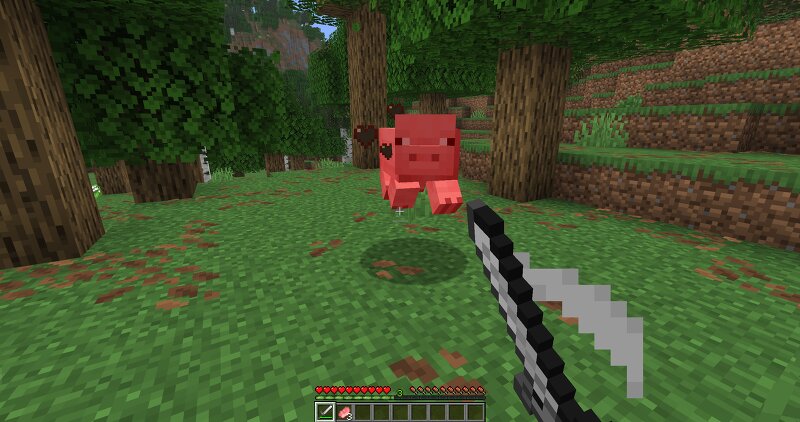
About Reactive World makes the Overworld react to player activity. When you hunt animals, the world remembers. When you over-farm your land, the soil wears out. The more you exploit a species or a plot of land, the harder it becomes to sustain. Leave nature alone long enough, and it gradually recovers. More features will be added over time… Installation ⏩ LAST VERSION OF THE MOD: 26.1.2-1.0.0-beta.3 ⏩ Requires NeoForge to be installed: https://neoforged.net/ . ⏩ Copy the jar file of the mod in the "Mods" folder. ⏩ For each version, check in the changelog the supported/tested versions of Minecraft and Neoforge. Fauna dynamics Affected Mobs The mod tracks kills and affects natural spawns for the following creatures: Bee, Axolotl, Cat, Horse, Goat, Pig, Dolphin, Camel, Frog, Llama, Rabbit, Wolf, Sheep, Mule, Ocelot, Polar Bear, Panda, Parrot, Chicken, Squid, Glow Squid, Fox, Armadillo, Tadpole, Cow, Donkey, Cod, Salmon, Tropical Fish, Pufferfish Only kills made by players in the Overworld are counted. How It Works 1. Kill Tracking Every time a player kills one of the tracked mobs, the kill count for that species increases by 1. The game also records when the last kill happened. 2. Spa
Added value
What’s included on this page
Preview, categories, compatibility, and tools on this page — not a bare file mirror.
- Creator
- Brezidan
- Source
- Minecraft downloads library on Eaglercraft Studio
- Type
- Minecraft mod
- Price
- Free download on Eaglercraft Studio
- Curation
- Listed with credit to Brezidan · studio preview & install guide
- Game Version
- Minecraft 26.1
- Compatible with
- Minecraft Java (match version / loader in facts)
- Tags
- Functional, Mobs, Neoforge, Other
Install guide
How to install this free Minecraft mod
Eaglercraft Studio listing with metadata, creator credit, and loader-aware install guidance.
- 1Download the jar/zip when available.
- 2Install the matching loader (Forge, Fabric, or NeoForge) for your Minecraft version.
- 3Drop the mod into your mods folder, then launch with that profile.
Wrong loader or game version usually crashes on startup — read the facts on this page first.
Related free mods
More curated mods from the same library section.

Pastelmooncrafting15 · 67 diamonds · 20 views

PotatoWolfie · 60 diamonds · 2 views

PotatoWolfie · 53 diamonds · 622 views

Janss_33PL · 47 diamonds · 940 views