
Sarp Shaders | 1.17 - 26.2 Realistic Shader
Creator: xsoras · 2026-07-12 · Mods · Free on Eaglercraft Studio
Download Sarp Shaders | 1.17 - 26.2 Realistic Shader — free Minecraft mod. Created by xsoras. Tagged cloud, commandblock, highend, lowend. Check the file details for Forge, Fabric, or NeoForge before installing.
Creator notes
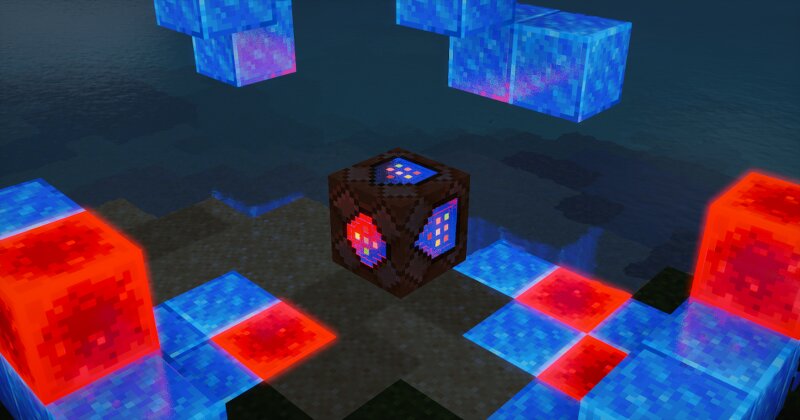
A shaderpack I've been building for myself, tuned the way I actually like Minecraft to look — soft light, moody skies, and water that's fun to stare at. Runs on Iris / OptiFine. What's inside Physical sky with volumetric clouds, cloud shadows and volumetric light shafts Water that behaves — waves, refraction, caustics, foam and screen-space reflections Soft colored shadows and SSAO for that grounded, cozy feel PBR support with auto-generated normals if your resource pack doesn't have them Aurora at night and a custom nebula in the End The usual camera goodies: bloom, auto exposure, FXAA, saturation control Installation Grab the latest release Drop the folder into your shaderpacks directory Select Sarp Shaders in the video settings and you're done Everything is tweakable in the shader options menu — shadows, lighting, water, atmosphere and camera each have their own screen. Notes This is a personal project, so expect opinionated defaults. If something looks off on your setup, poke around the settings before opening an issue — chances are there's a slider for it. Made by Sarp. Screenshots welcome — I'd love to see your builds with it.
Added value
What’s included on this page
Preview, categories, compatibility, and tools on this page — not a bare file mirror.
- Creator
- xsoras
- Source
- Minecraft downloads library on Eaglercraft Studio
- Type
- Minecraft mod
- Price
- Free download on Eaglercraft Studio
- Curation
- Listed with credit to xsoras · studio preview & install guide
- Game Version
- Minecraft 26.2
- Compatible with
- Minecraft Java (match version / loader in facts)
- Tags
- Cloud, Commandblock, Highend, Lowend, Midend, Minecraft
Install guide
How to install this free Minecraft mod
Eaglercraft Studio listing with metadata, creator credit, and loader-aware install guidance.
- 1Download the jar/zip when available.
- 2Install the matching loader (Forge, Fabric, or NeoForge) for your Minecraft version.
- 3Drop the mod into your mods folder, then launch with that profile.
Wrong loader or game version usually crashes on startup — read the facts on this page first.
Related free mods
More curated mods from the same library section.

Pastelmooncrafting15 · 67 diamonds · 20 views

PotatoWolfie · 60 diamonds · 2 views

PotatoWolfie · 53 diamonds · 622 views

Janss_33PL · 47 diamonds · 940 views