
ShopShelves
Creator: MyAndy · 2026-04-06 · Mods · Free on Eaglercraft Studio
Download ShopShelves — free Minecraft mod. Created by MyAndy. Tagged other, shelf, shelves, shop. Check the file details for Forge, Fabric, or NeoForge before installing.
Creator notes
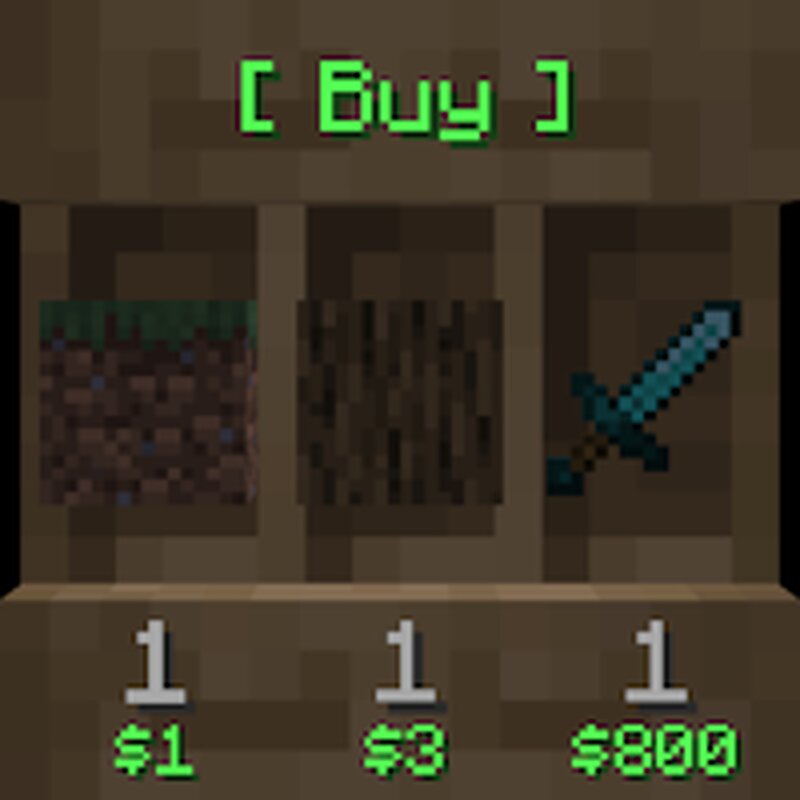
ShopShelves Spigot: The Modern Display Shop Solution The ultimate plugin for creating interactive, visually striking display shops using the Shelf Block . Transform your server's economy with elegant, lag-friendly holograms (Text Displays) that show prices, stock, and shop status in real-time! Pictures explained: The Following pictures depict the ingame shelf blocks in order: Buy Shop | Sell Shop | Buy & Sell Shop | Custom Label | Player Shop Statistics Book -> Shows the total money earned / lost to the slots item. Custom Price GUI shift right click shelf to set custom prices per slot. Customer friendly GUI to see the full item (potions enchantments etc) Also check out my DrawerShelves plugin here ! Contact Me & Support Information Primary Support Channel (Preferred) Discord Server: https://discord.gg/48sZCbdHzJ All general questions, feature requests, and non-urgent bug reports should be posted in the appropriate channels on our Discord server. We actively monitor the server and will respond as soon as possible. This ensures that the whole community can benefit from the discussion and solutions. --- Urgent Private Messaging (PM) Policy While we prefer all issues to be handled via
Added value
What’s included on this page
Preview, categories, compatibility, and tools on this page — not a bare file mirror.
- Creator
- MyAndy
- Source
- Minecraft downloads library on Eaglercraft Studio
- Type
- Minecraft mod
- Price
- Free download on Eaglercraft Studio
- Curation
- Listed with credit to MyAndy · studio preview & install guide
- Game Version
- Minecraft 26.3 snapshot
- Compatible with
- Minecraft Java (match version / loader in facts)
- Tags
- Other, Shelf, Shelves, Shop, Shops, Shopshelf
Install guide
How to install this free Minecraft mod
Eaglercraft Studio listing with metadata, creator credit, and loader-aware install guidance.
- 1Download the jar/zip when available.
- 2Install the matching loader (Forge, Fabric, or NeoForge) for your Minecraft version.
- 3Drop the mod into your mods folder, then launch with that profile.
Wrong loader or game version usually crashes on startup — read the facts on this page first.
Related free mods
More curated mods from the same library section.

Pastelmooncrafting15 · 67 diamonds · 20 views

PotatoWolfie · 60 diamonds · 2 views

PotatoWolfie · 53 diamonds · 622 views

Janss_33PL · 47 diamonds · 940 views