
Sieged!
Creator: LosNThings · 2026-01-30 · Mods · Free on Eaglercraft Studio
Download Sieged! — free Minecraft mod. Created by LosNThings. Tagged castle, castles, catapult, illagers. Check the file details for Forge, Fabric, or NeoForge before installing.
Creator notes
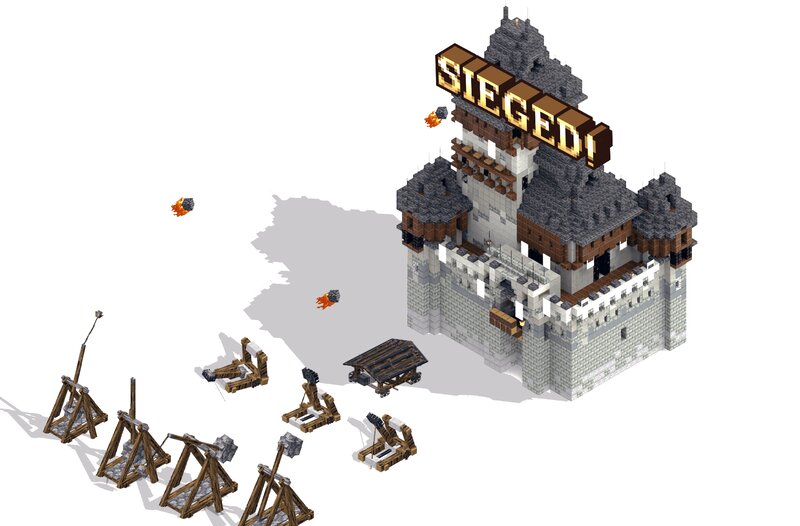
Sieged! - Medieval Warfare & Siege Engines Join the LosNThings Discord Server to join the community, provide feedback, and coordinate epic sieges together! Sieged brings medieval warfare to Minecraft Bedrock Edition. Command devastating siege engines, storm pillager castles, and take back the land. Whether you're defending your realm or conquering enemy fortifications, no wall is too tall for these weapons of war. Currently in Beta – This addon is actively being developed with ongoing fixes, improvements, and new features planned for future updates. Trial By Fire V1.9 - Trailer Key Features Siege Engines – Control authentic medieval war machines. From explosive catapults to devastating trebuchets, rain destruction upon your enemies. Castle Warfare – Discover and assault pillager castles. Wave-Based Sieges – Sound the horn near enemy fortifications to trigger intense wave-based battles. Use ominous bottles for greater challenges and better rewards. Soldier Units – Recruit villager warriors and archers to fight at your side, or face deadly pillager champions in close combat. Strategic Gameplay – Plan your attacks carefully. Weaken defenses with siege weapons before storming the castl
Added value
What’s included on this page
Preview, categories, compatibility, and tools on this page — not a bare file mirror.
- Creator
- LosNThings
- Source
- Minecraft downloads library on Eaglercraft Studio
- Type
- Minecraft mod
- Price
- Free download on Eaglercraft Studio
- Curation
- Listed with credit to LosNThings · studio preview & install guide
- Game Version
- Minecraft 1.21.11
- Compatible with
- Minecraft Java (match version / loader in facts)
- Tags
- Castle, Castles, Catapult, Illagers, Knights, Medieval
Install guide
How to install this free Minecraft mod
Eaglercraft Studio listing with metadata, creator credit, and loader-aware install guidance.
- 1Download the jar/zip when available.
- 2Install the matching loader (Forge, Fabric, or NeoForge) for your Minecraft version.
- 3Drop the mod into your mods folder, then launch with that profile.
Wrong loader or game version usually crashes on startup — read the facts on this page first.
Related free mods
More curated mods from the same library section.

Pastelmooncrafting15 · 67 diamonds · 20 views

PotatoWolfie · 60 diamonds · 2 views

PotatoWolfie · 53 diamonds · 622 views

Janss_33PL · 47 diamonds · 940 views