
Simple Wireless Redstone
Creator: matmoomate · 2026-01-19 · Mods · Free on Eaglercraft Studio
Download Simple Wireless Redstone — free Minecraft mod. Created by matmoomate. Tagged functional. Check the file details for Forge, Fabric, or NeoForge before installing.
Creator notes
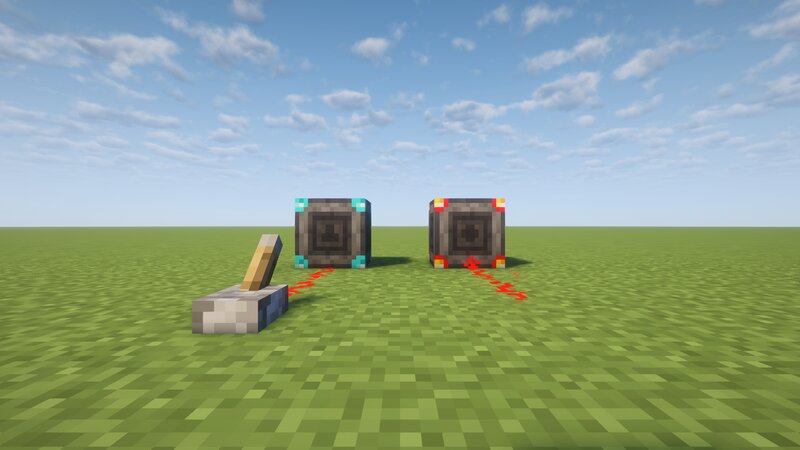
SWR — Simple Wireless Redstone SWR is a lightweight Minecraft mod that adds wireless redstone in a simple and intuitive way. It’s designed to be easy to use, relying on only two items and one block , without any unnecessary complexity. What SWR Adds Transmitter Accepts a redstone input Sends the signal wirelessly to linked receivers Receiver Receives wireless redstone signals Outputs the signal as standard redstone Linker (Item) Used to connect transmitters and receivers Makes linking quick and straightforward How to Use SWR Place a Transmitter and one or more Receivers . Hold the Linker . Right-click the transmitter, then right-click the receiver to link them. Once linked, the wireless redstone connection is active. Watch the tutorial Tips and Advanced Linking Linking one transmitter to multiple receivers Shift + right-click a transmitter to select it Shift + right-click any number of receivers to link them Unselecting a transmitter Shift + right-click in the air (Shift +) right-click a different transmitter Right-click any transmitter or receiver normally Crafting Recipes Transmitter Receiver Linker
Added value
What’s included on this page
Preview, categories, compatibility, and tools on this page — not a bare file mirror.
- Creator
- matmoomate
- Source
- Minecraft downloads library on Eaglercraft Studio
- Type
- Minecraft mod
- Price
- Free download on Eaglercraft Studio
- Curation
- Listed with credit to matmoomate · studio preview & install guide
- Game Version
- Minecraft 1.21.10
- Compatible with
- Minecraft Java (match version / loader in facts)
- Tags
- Functional
Install guide
How to install this free Minecraft mod
Eaglercraft Studio listing with metadata, creator credit, and loader-aware install guidance.
- 1Download the jar/zip when available.
- 2Install the matching loader (Forge, Fabric, or NeoForge) for your Minecraft version.
- 3Drop the mod into your mods folder, then launch with that profile.
Wrong loader or game version usually crashes on startup — read the facts on this page first.
Related free mods
More curated mods from the same library section.

Pastelmooncrafting15 · 67 diamonds · 20 views

PotatoWolfie · 60 diamonds · 2 views

PotatoWolfie · 53 diamonds · 622 views

Janss_33PL · 47 diamonds · 940 views