
Sleep Animation: Immersive Sleeping Plugin
Creator: DerexXD · 2026-06-04 · Mods · Free on Eaglercraft Studio
Download Sleep Animation: Immersive Sleeping Plugin — free Minecraft mod. Created by DerexXD. Tagged aesthetic, animation, bed, bukkit. Check the file details for Forge, Fabric, or NeoForge before installing.
Creator notes
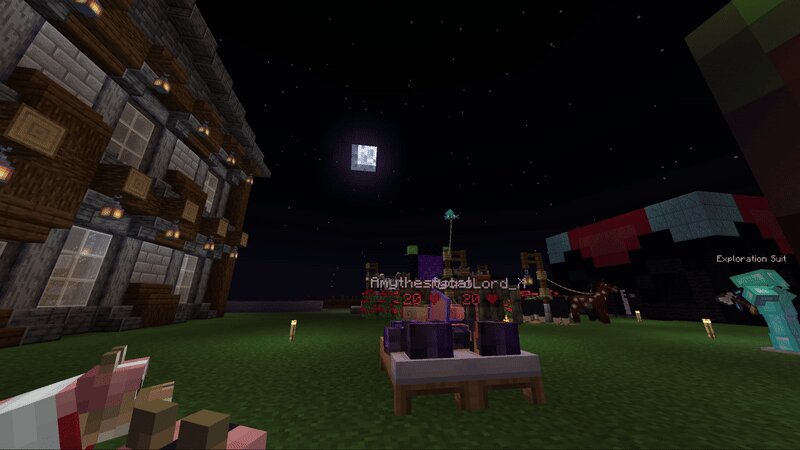
Simple: Adds an animation while the night is skipped by players sleeping, making things really more immersive! If this project helped you, please consider leaving some stars on the Github ! Sleep Animation This was created for use on my forever world, called "derex smp". Check it out in action, server ip: mc.longhorns.dev Configurable plugin that plays an animation when the night is skipped, so if you look at the night sky, you can see it slowly turning to day! Designed to be simple, server-friendly and immersive. License: MIT Join our dev discord! https://discord.gg/HM5XEe6pW6 ❤️ Credits: Developed by DerexXD, inspired by https://modrinth.com/plugin/sleeper by hraponssi Tech demo gif featuring amythestycat and AstroLord_X This was created for use on my forever world, called "derex smp", and now I am sharing it with the world. The server is named after the COVID-era derex smp [sic], a Minecraft survival multiplayer server that ran from summer 2020 to early 2022, filled with lore, drama, and memories.
Added value
What’s included on this page
Preview, categories, compatibility, and tools on this page — not a bare file mirror.
- Creator
- DerexXD
- Source
- Minecraft downloads library on Eaglercraft Studio
- Type
- Minecraft mod
- Price
- Free download on Eaglercraft Studio
- Curation
- Listed with credit to DerexXD · studio preview & install guide
- Game Version
- Minecraft 26.2
- Compatible with
- Minecraft Java (match version / loader in facts)
- Tags
- Aesthetic, Animation, Bed, Bukkit, Derexxd, Hraponssi
Install guide
How to install this free Minecraft mod
Eaglercraft Studio listing with metadata, creator credit, and loader-aware install guidance.
- 1Download the jar/zip when available.
- 2Install the matching loader (Forge, Fabric, or NeoForge) for your Minecraft version.
- 3Drop the mod into your mods folder, then launch with that profile.
Wrong loader or game version usually crashes on startup — read the facts on this page first.
Related free mods
More curated mods from the same library section.

Pastelmooncrafting15 · 67 diamonds · 20 views

PotatoWolfie · 60 diamonds · 2 views

PotatoWolfie · 53 diamonds · 622 views

Janss_33PL · 47 diamonds · 940 views