
Slots Unofficial
Creator: takapii_kun0717 · 2026-09-11 · Mods · Free on Eaglercraft Studio
Download Slots Unofficial — free Minecraft mod. Created by takapii_kun0717. Tagged other. Check the file details for Forge, Fabric, or NeoForge before installing.
Creator notes
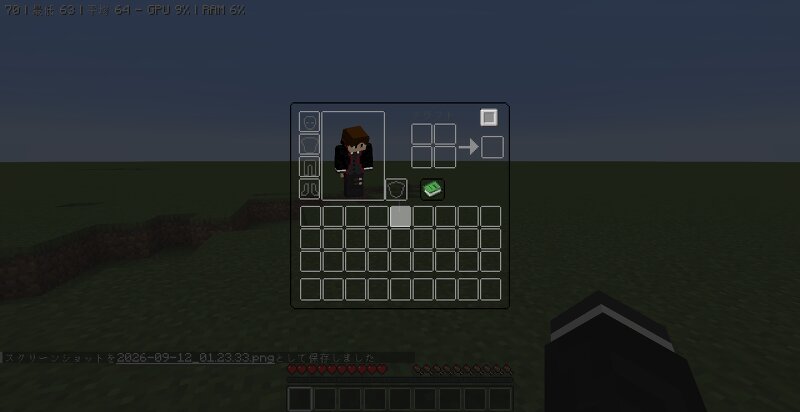
This is an unofficial fork of the Slots mod. Slots( ketheroth ) https://www.curseforge.com/minecraft/mc-mods/slots It complies with the original MIT License. In this mod, slots are unlocked as you gain experience and level up. By default, one slot is unlocked every three levels (this can be changed in the settings). The original game has a maximum of 27 slots, but this mod unlocks up to 54 slots. If you die, any slots you’ve unlocked so far will be locked. Changed to manual unlocking via command starting in version 1.5.0 To unlock a slot, use the /slots unlock command or click the “+” button in the slot inventory. By default, you can open your inventory by pressing the Y key. ver1.5.0~ New Commands Added /slots open [selector] Opens the slot inventory /slots give [selector] [item] [quantity] Allows you to place the specified item into the inventory /slots unlock [selector] [number of slots to unlock] Unlocks the specified number of slots /slots lock [Selector] [Number of slots to lock] Locks the specified number of slots /slots set [Selector] [Slot] [Item] [Quantity] You can put a specified number of items into the slot. /slots clear [Selector] [Item] [Quantity] Allows you to remov
Added value
What’s included on this page
Preview, categories, compatibility, and tools on this page — not a bare file mirror.
- Creator
- takapii_kun0717
- Source
- Minecraft downloads library on Eaglercraft Studio
- Type
- Minecraft mod
- Price
- Free download on Eaglercraft Studio
- Curation
- Listed with credit to takapii_kun0717 · studio preview & install guide
- Game Version
- Minecraft 1.20.1
- Compatible with
- Minecraft Java (match version / loader in facts)
- Tags
- Other
Install guide
How to install this free Minecraft mod
Eaglercraft Studio listing with metadata, creator credit, and loader-aware install guidance.
- 1Download the jar/zip when available.
- 2Install the matching loader (Forge, Fabric, or NeoForge) for your Minecraft version.
- 3Drop the mod into your mods folder, then launch with that profile.
Wrong loader or game version usually crashes on startup — read the facts on this page first.
Related free mods
More curated mods from the same library section.

Pastelmooncrafting15 · 67 diamonds · 20 views

PotatoWolfie · 60 diamonds · 2 views

PotatoWolfie · 53 diamonds · 622 views

Janss_33PL · 47 diamonds · 940 views