
Smart Lag remover addon "remove aternos delay and lag"
Creator: shadowGem100k · 2026-02-06 · Mods · Free on Eaglercraft Studio
Download Smart Lag remover addon "remove aternos delay and lag" — free Minecraft mod. Created by shadowGem100k. Tagged other. Check the file details for Forge, Fabric, or NeoForge before installing.
Creator notes
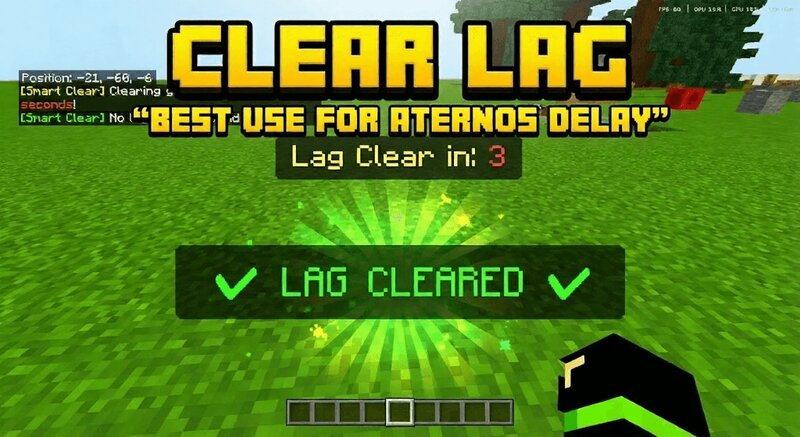
✦ 🔧 More Add-ons by shadowGamer100k If you enjoy this utility, you might find my other survival tools helpful: 🧲 Magnet Add-on: Effortlessly collect items from a distance. 🌀 Teleporters System: Setup advanced travel networks across your world. 🐣 Spawner Mover: Relocate mob spawners to build the ultimate farm. 🔐 Lock & Key: Secure your chests and doors from other players. ⛏️ Ore Finder: Locate valuable ores quickly and easily. 🧹 Smart Lag Clear Addon Automatic Entity Cleanup System for Minecraft Bedrock 1.21+ Smart Lag Clear Addon is a performance focused Minecraft Bedrock utility addon that automatically removes lag causing entities from the world at timed intervals. It is designed to keep survival worlds, SMP servers, and Realms running smoothly by clearing unnecessary dropped items, XP orbs, projectiles, and other heavy entities without breaking gameplay balance. If you are searching for a Minecraft Bedrock lag remover addon, clear lag mod, performance booster, or entity cleanup system, this addon is built to provide a safe and automated solution while remaining fully compatible with survival gameplay. 🧠 What This Smart Lag Clear Addon Does The addon scans all loaded dimensions i
Added value
What’s included on this page
Preview, categories, compatibility, and tools on this page — not a bare file mirror.
- Creator
- shadowGem100k
- Source
- Minecraft downloads library on Eaglercraft Studio
- Type
- Minecraft mod
- Price
- Free download on Eaglercraft Studio
- Curation
- Listed with credit to shadowGem100k · studio preview & install guide
- Game Version
- Minecraft 1.21.11
- Compatible with
- Minecraft Java (match version / loader in facts)
- Tags
- Other
Install guide
How to install this free Minecraft mod
Eaglercraft Studio listing with metadata, creator credit, and loader-aware install guidance.
- 1Download the jar/zip when available.
- 2Install the matching loader (Forge, Fabric, or NeoForge) for your Minecraft version.
- 3Drop the mod into your mods folder, then launch with that profile.
Wrong loader or game version usually crashes on startup — read the facts on this page first.
Related free mods
More curated mods from the same library section.

Pastelmooncrafting15 · 67 diamonds · 20 views

PotatoWolfie · 60 diamonds · 2 views

PotatoWolfie · 53 diamonds · 622 views

Janss_33PL · 47 diamonds · 940 views