
sneak to grow add-on "Sneak Boost Farming System"
Creator: shadowGem100k · 2026-02-03 · Mods · Free on Eaglercraft Studio
Download sneak to grow add-on "Sneak Boost Farming System" — free Minecraft mod. Created by shadowGem100k. Tagged other. Check the file details for Forge, Fabric, or NeoForge before installing.
Creator notes
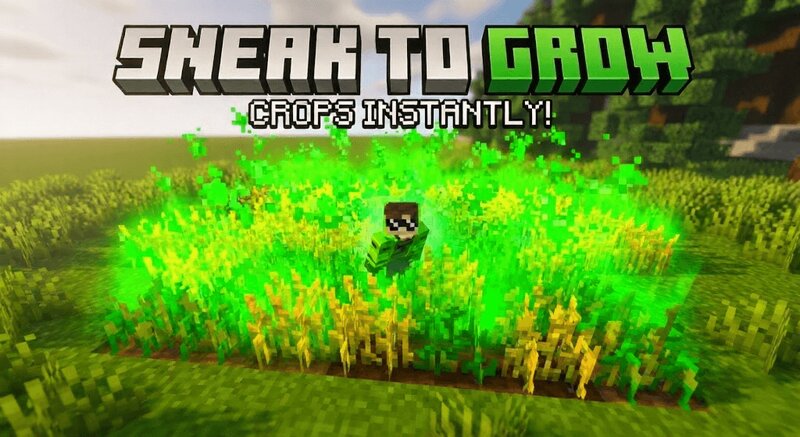
🌱 Smart Crop Growth Addon Sneak Boost Farming System for Minecraft Bedrock 1.21+ Smart Crop Growth Addon is a lightweight Minecraft Bedrock survival utility addon that introduces an automatic crop acceleration system triggered by player movement. By simply sneaking near crops, players can stimulate nearby plants to grow naturally, creating a magical farming experience that feels powerful while remaining fully balanced for survival gameplay. If you are looking for a Minecraft Bedrock crop growth addon, farming helper mod, bone meal alternative, or survival agriculture utility, this addon is designed to improve farming efficiency without breaking immersion or server balance. 🧠 What This Crop Growth Addon Does When a player starts sneaking, the addon scans a small area around them. Nearby crops with valid growth stages have a chance to advance by one stage. Growth is applied naturally using block states instead of replacing blocks. Only real growable crops are affected, while unsafe or non crop blocks are ignored. 🌾 Intelligent Crop Detection The system dynamically detects crop growth states such as age, growth, or stage. Works with vanilla crops and most custom crops that use standar
Added value
What’s included on this page
Preview, categories, compatibility, and tools on this page — not a bare file mirror.
- Creator
- shadowGem100k
- Source
- Minecraft downloads library on Eaglercraft Studio
- Type
- Minecraft mod
- Price
- Free download on Eaglercraft Studio
- Curation
- Listed with credit to shadowGem100k · studio preview & install guide
- Game Version
- Minecraft 1.21.11
- Compatible with
- Minecraft Java (match version / loader in facts)
- Tags
- Other
Install guide
How to install this free Minecraft mod
Eaglercraft Studio listing with metadata, creator credit, and loader-aware install guidance.
- 1Download the jar/zip when available.
- 2Install the matching loader (Forge, Fabric, or NeoForge) for your Minecraft version.
- 3Drop the mod into your mods folder, then launch with that profile.
Wrong loader or game version usually crashes on startup — read the facts on this page first.
Related free mods
More curated mods from the same library section.

Pastelmooncrafting15 · 67 diamonds · 20 views

PotatoWolfie · 60 diamonds · 2 views

PotatoWolfie · 53 diamonds · 622 views

Janss_33PL · 47 diamonds · 940 views