
SoulLock
Creator: SlimeeyYt · 2026-04-02 · Mods · Free on Eaglercraft Studio
Download SoulLock — free Minecraft mod. Created by SlimeeyYt. Tagged minecraftpaperplugin, minecraftrevivalsystem, new content, plugin. Check the file details for Forge, Fabric, or NeoForge before installing.
Creator notes
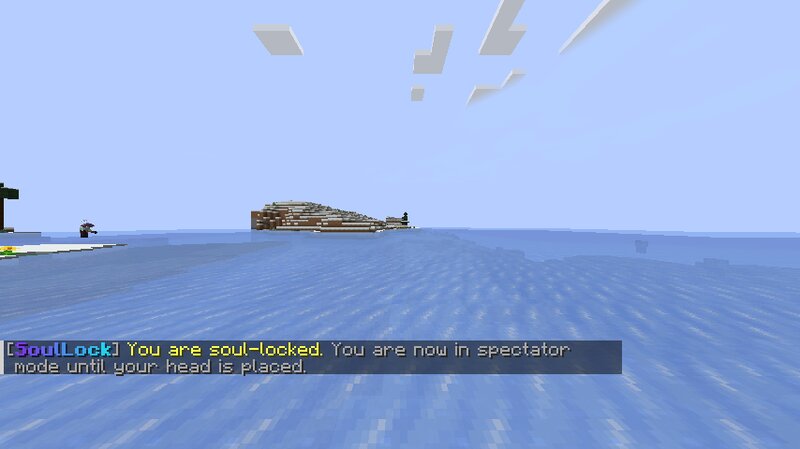
# 💀 SoulLock — Death is not the end... When a player dies, their **soul is trapped inside their head**. They cannot return… unless someone places it back. Will your friends save you — or leave you behind? --- ## 🎮 What is SoulLock? SoulLock is a **Paper plugin (1.21+)** that transforms Minecraft’s death system into a **revival-based mechanic**. Instead of respawning normally: * 💀 Players become **soul-locked** * 🪦 Their **head drops at death location** * ⚡ They can only return when someone places their head --- ## ✨ Features ### 💀 Soul Lock System * Player dies → soul is locked * Real **player head drops (with skin)** * Only **one active head per player** * Fully persistent (survives restarts) --- ### 👻 Locked Player Behavior Locked players are restricted until revived: * Cannot break or place blocks * Cannot use items * Cannot interact with entities **Join behavior:** * 👁️ Spectator mode (default) * 🚫 Kick mode (configurable) --- ### ⚡ Revival System When a player head is placed: * 🔍 Automatically detects the player * 🆓 Instantly unlocks their soul * 📩 Message: *"Your soul has been restored! ✨"* If the player is online: * Teleported to revival location * Restored to SURVIVAL mode
Added value
What’s included on this page
Preview, categories, compatibility, and tools on this page — not a bare file mirror.
- Creator
- SlimeeyYt
- Source
- Minecraft downloads library on Eaglercraft Studio
- Type
- Minecraft mod
- Price
- Free download on Eaglercraft Studio
- Curation
- Listed with credit to SlimeeyYt · studio preview & install guide
- Game Version
- Minecraft 1.21.11
- Compatible with
- Minecraft Java (match version / loader in facts)
- Tags
- Minecraftpaperplugin, Minecraftrevivalsystem, New Content, Plugin
Install guide
How to install this free Minecraft mod
Eaglercraft Studio listing with metadata, creator credit, and loader-aware install guidance.
- 1Download the jar/zip when available.
- 2Install the matching loader (Forge, Fabric, or NeoForge) for your Minecraft version.
- 3Drop the mod into your mods folder, then launch with that profile.
Wrong loader or game version usually crashes on startup — read the facts on this page first.
Related free mods
More curated mods from the same library section.

Pastelmooncrafting15 · 67 diamonds · 20 views

PotatoWolfie · 60 diamonds · 2 views

PotatoWolfie · 53 diamonds · 622 views

Janss_33PL · 47 diamonds · 940 views