
SpiritLinks
Creator: Maraudeur001 · 2025-12-20 · Mods · Free on Eaglercraft Studio
Download SpiritLinks — free Minecraft mod. Created by Maraudeur001. Tagged death, equipment, experience, functional. Check the file details for Forge, Fabric, or NeoForge before installing.
Creator notes
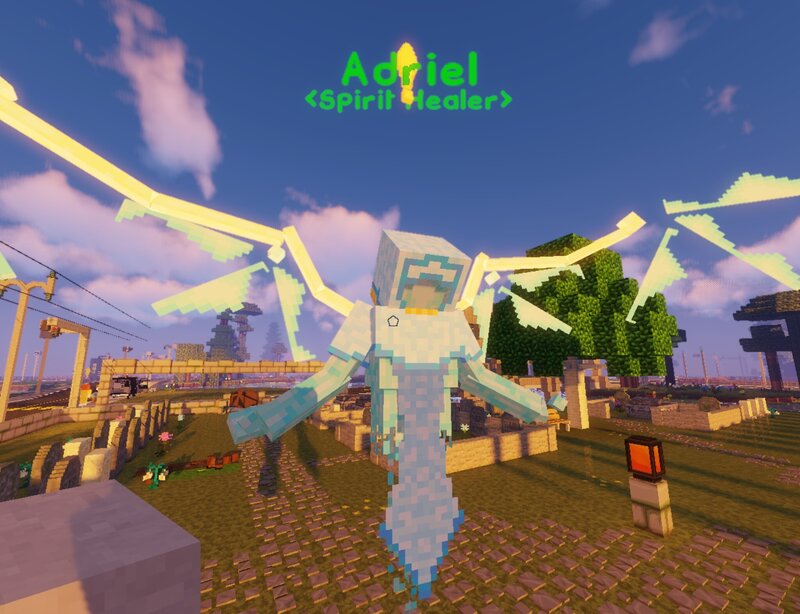
SpiritLinks (Mod) MMO-style “ghost run” death flow for Minecraft 1.12.2 (Forge). Die → become a ghost → follow a clear death marker back → revive safely. SpiritLinks is used in Luc's Emporium Server, if you want to try it! --- Why SpiritLinks? I wanted a death system that feels closer to an MMO: - Death should be a **recoverable journey**, not a permanent gear/XP loss. - No more losing your run to lava/despawn timers or chaotic recovery. - A consistent way for players to **return to safety when revived** and keep death/revive behavior centralized and predictable. SpiritLinks focuses on turning death into a guided “ghost run” where the player is clearly directed back to their death location and can recover without the usual Minecraft death frustration. --- What it does When you die: - You respawn as a **ghost** (visual effects + ghost-like movement). - A **death marker** shows you where you died (designed to stay readable from far away). - You follow the marker back and **revive** once you reach the correct location. The goal is simple: **death becomes a guided recovery loop**, not a punishment spiral. --- Supported platforms / requirements (MOD) - **Minecraft:** 1.12.2 - **Mod load
Added value
What’s included on this page
Preview, categories, compatibility, and tools on this page — not a bare file mirror.
- Creator
- Maraudeur001
- Source
- Minecraft downloads library on Eaglercraft Studio
- Type
- Minecraft mod
- Price
- Free download on Eaglercraft Studio
- Curation
- Listed with credit to Maraudeur001 · studio preview & install guide
- Game Version
- Minecraft 1.12.2
- Compatible with
- Minecraft Java (match version / loader in facts)
- Tags
- Death, Equipment, Experience, Functional, Lore, Mechanics
Install guide
How to install this free Minecraft mod
Eaglercraft Studio listing with metadata, creator credit, and loader-aware install guidance.
- 1Download the jar/zip when available.
- 2Install the matching loader (Forge, Fabric, or NeoForge) for your Minecraft version.
- 3Drop the mod into your mods folder, then launch with that profile.
Wrong loader or game version usually crashes on startup — read the facts on this page first.
Related free mods
More curated mods from the same library section.

Pastelmooncrafting15 · 67 diamonds · 20 views

PotatoWolfie · 60 diamonds · 2 views

PotatoWolfie · 53 diamonds · 622 views

Janss_33PL · 47 diamonds · 940 views