
Stardew Valley Food
Creator: Zcoper1 · 2026-01-17 · Mods · Free on Eaglercraft Studio
Download Stardew Valley Food — free Minecraft mod. Created by Zcoper1. Tagged functional, stardewvalley. Check the file details for Forge, Fabric, or NeoForge before installing.
Creator notes
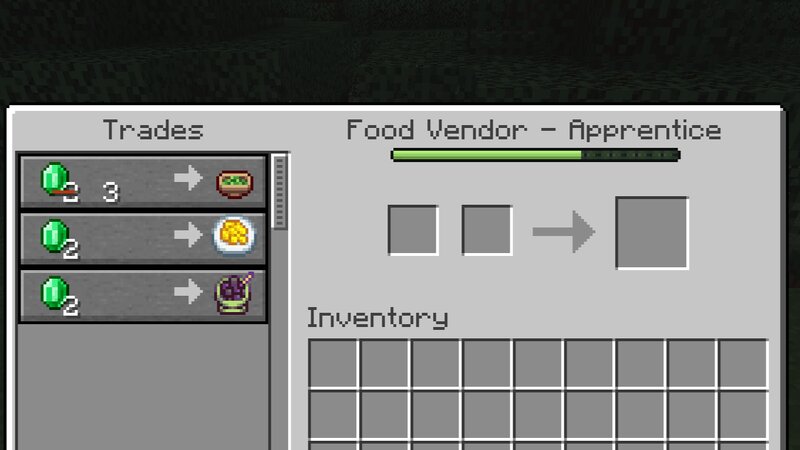
Main Version: 1.21.5-1.21.10 Loader: Forge Enjoy the food from Stardew Valley — now in Minecraft! This is a fan-made mod. All rights to Stardew Valley belong to ConcernedApe. 📢 Important Announcement (2025) Thank you, CurseForge and Modrinth community! I'm here to share some news about my mod Stardew Valley Food. Originally made back in 2022 when I was still in middle school, this project started as a fun experiment using MCreator — before I even knew how to code. Over time, it grew into something much bigger, reaching nearly 100,000 downloads. This mod has been part of my personal learning journey, from my first steps with Forge to writing Java and Gradle myself. Now, before I move on to university, I’ve decided to release the final and best version — v0.4.0. After this update, the mod will be marked as Out of Support — meaning no new content or fixes, but it will remain available for major Minecraft versions and loaders Thank you all for your amazing support over the years. Truly, thank you again. 🍱 Stardew Valley Food – Version 0.4.0 (Final Update) The final, most stable, and feature-complete release before end of support. 🛠 Major Changes & Improvements Adjusted illogical or unb
Added value
What’s included on this page
Preview, categories, compatibility, and tools on this page — not a bare file mirror.
- Creator
- Zcoper1
- Source
- Minecraft downloads library on Eaglercraft Studio
- Type
- Minecraft mod
- Price
- Free download on Eaglercraft Studio
- Curation
- Listed with credit to Zcoper1 · studio preview & install guide
- Game Version
- Minecraft 1.21.5
- Compatible with
- Minecraft Java (match version / loader in facts)
- Tags
- Functional, Stardewvalley
Install guide
How to install this free Minecraft mod
Eaglercraft Studio listing with metadata, creator credit, and loader-aware install guidance.
- 1Download the jar/zip when available.
- 2Install the matching loader (Forge, Fabric, or NeoForge) for your Minecraft version.
- 3Drop the mod into your mods folder, then launch with that profile.
Wrong loader or game version usually crashes on startup — read the facts on this page first.
Related free mods
More curated mods from the same library section.

Pastelmooncrafting15 · 67 diamonds · 20 views

PotatoWolfie · 60 diamonds · 2 views

PotatoWolfie · 53 diamonds · 622 views

Janss_33PL · 47 diamonds · 940 views