
Structures from the Past | Bedrock AddOn
Creator: TryzzMC · 2026-07-26 · Mods · Free on Eaglercraft Studio
Download Structures from the Past | Bedrock AddOn — free Minecraft mod. Created by TryzzMC. Tagged addon, bedrock, new content, structures. Check the file details for Forge, Fabric, or NeoForge before installing.
Creator notes
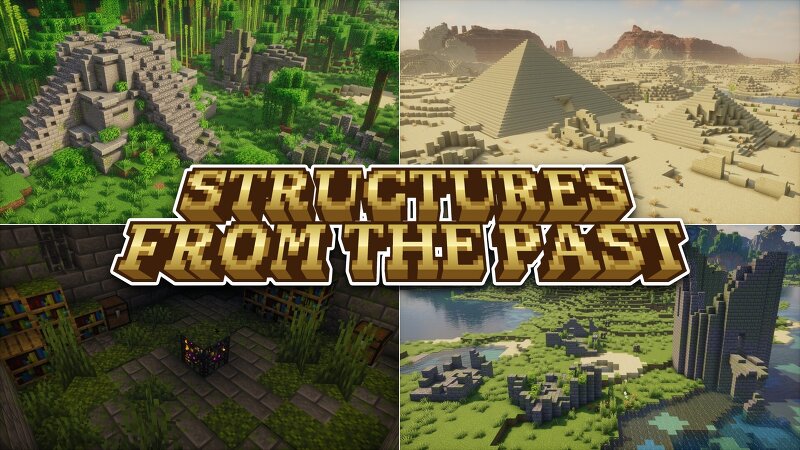
Do you have any questions, feedback or have you noticed any bugs? Feel free to write a comment or join my community Discord server! This AddOn is achievements friendly! Are you ready to explore countless new structures? Add the add-on to your Bedrock world and get ready for an adventure into the past. This add-on brings all kinds of old, forgotten ruins, temples, pyramids, and dungeons into the game. Currently you can discover 127 different new structures ! Different custom dungeons with spawners and loot generating underground! All of these dungeons feature different mob spawners You can also download a Advanced Edition of this addon which includes some custom mobs and items! Mummy - desert mob which can spawn at day time (faster at night) Ancient Mummy - stronger & rarer variant of the mummy Skeleton Knight - skeletons with swords and different armor Parched Knight - parched with swords and different armor (causes weakness when hit) Bogged Knight - bogged with swords (causes poison when hit) Stray Knight - strays with swords and different armor (causes slowness when hit) Ancient Emerald Warrior - stronger & slightly bigger parched mob with a custom emerald sword and armor New
Added value
What’s included on this page
Preview, categories, compatibility, and tools on this page — not a bare file mirror.
- Creator
- TryzzMC
- Source
- Minecraft downloads library on Eaglercraft Studio
- Type
- Minecraft mod
- Price
- Free download on Eaglercraft Studio
- Curation
- Listed with credit to TryzzMC · studio preview & install guide
- Game Version
- Minecraft 26.1
- Compatible with
- Minecraft Java (match version / loader in facts)
- Tags
- Addon, Bedrock, New Content, Structures
Install guide
How to install this free Minecraft mod
Eaglercraft Studio listing with metadata, creator credit, and loader-aware install guidance.
- 1Download the jar/zip when available.
- 2Install the matching loader (Forge, Fabric, or NeoForge) for your Minecraft version.
- 3Drop the mod into your mods folder, then launch with that profile.
Wrong loader or game version usually crashes on startup — read the facts on this page first.
Related free mods
More curated mods from the same library section.

Pastelmooncrafting15 · 67 diamonds · 20 views

PotatoWolfie · 60 diamonds · 2 views

PotatoWolfie · 53 diamonds · 622 views

Janss_33PL · 47 diamonds · 940 views