
Survival World Edit (Achievements Friendly)
Creator: Flappyguy · 2026-05-09 · Mods · Free on Eaglercraft Studio
Download Survival World Edit (Achievements Friendly) — free Minecraft mod. Created by Flappyguy. Tagged other. Check the file details for Forge, Fabric, or NeoForge before installing.
Creator notes
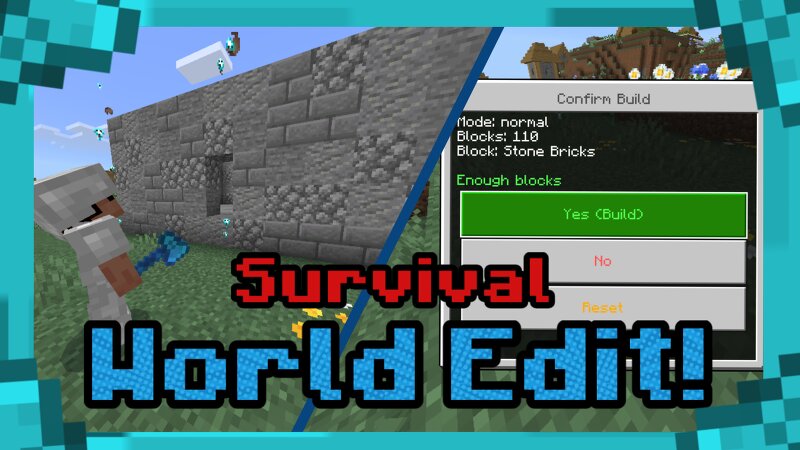
Echo Edit:You can craft Echo Edit using (5 Echo Shards) in the crafting table. Echo Edit Options:There Are 3 Options In The Echo Edit, To Turn On The Options, You Must (Sneak And Click)These Options Are:•Select Block-This Is Where You Will Choose What Block Do You Want For Your Build! You'll See A List Of Placeable Blocks That's In Your Inventory And Their Amounts. •Modes (There Are 3 Types!)-Normal- Fills All Blocks-Wall- Fills All The Sides To Make A Wall-Box- Creates A Complete Hollow Blocks Where The Inside Is Completely Empty *When You Fill A Place, It Will Take The Blocks From Your Inventory Equal To The Number Of Blocks Needed To Fill The Selected Area. This Way, It's Not Cheating And It's Also Survival Friendly. •PalettesThis Addon Also Have Palettes! This Is Where You Can Choose Multiple Blocks And Mix Them Together! You Can Make Your Own Palettes On This Addon By Choosing The Blocks That You Want In Your Inventory. Achievements Friendly:This Addon Is Achievements Friendly So Don't Worry About Getting Your Cheats On When Adding This Addon To Your World! Survival World Edit Addon Trailer Here:
Added value
What’s included on this page
Preview, categories, compatibility, and tools on this page — not a bare file mirror.
- Creator
- Flappyguy
- Source
- Minecraft downloads library on Eaglercraft Studio
- Type
- Minecraft mod
- Price
- Free download on Eaglercraft Studio
- Curation
- Listed with credit to Flappyguy · studio preview & install guide
- Game Version
- Minecraft 26.1.1
- Compatible with
- Minecraft Java (match version / loader in facts)
- Tags
- Other
Install guide
How to install this free Minecraft mod
Eaglercraft Studio listing with metadata, creator credit, and loader-aware install guidance.
- 1Download the jar/zip when available.
- 2Install the matching loader (Forge, Fabric, or NeoForge) for your Minecraft version.
- 3Drop the mod into your mods folder, then launch with that profile.
Wrong loader or game version usually crashes on startup — read the facts on this page first.
Related free mods
More curated mods from the same library section.

Pastelmooncrafting15 · 67 diamonds · 20 views

PotatoWolfie · 60 diamonds · 2 views

PotatoWolfie · 53 diamonds · 622 views

Janss_33PL · 47 diamonds · 940 views