
SurvivorAtlas
Creator: Archi_Project · 2026-06-15 · Mods · Free on Eaglercraft Studio
Download SurvivorAtlas — free Minecraft mod. Created by Archi_Project. Tagged functional. Check the file details for Forge, Fabric, or NeoForge before installing.
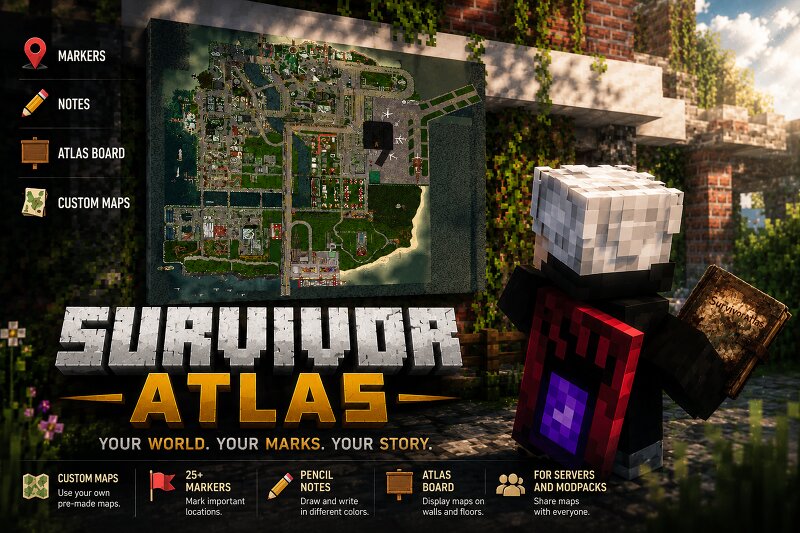
Creator notes
Survivor Atlas Survivor Atlas is a mod designed for custom maps in Minecraft. ⚠ Important: this mod does NOT generate terrain maps and does NOT display explored Minecraft terrain. It only works with pre-made map images. Features Custom maps. 25+ marker types. Colored pencil notes. Atlas Board for displaying maps on walls and floors. Shared maps for servers and modpacks. How to Use Maps do not have a crafting recipe by default. It is recommended to distribute maps through: loot tables; quests; rewards; traders; other mods and datapacks. Once a player obtains a map, they can: place markers; draw notes with pencils; display the map on an Atlas Board; share the map with other players. Adding Your Own Maps Maps can be replaced through resource packs. Texture path: assets/survivoratlas/textures/gui/maps/ Available map files: island_1.png island_2.png island_3.png island_4.png island_5.png Simply replace these images with your own maps and enable the resource pack. Perfect for: zombie apocalypse modpacks; RPG servers; survival worlds; story-driven adventures; custom multiplayer maps. Source Code The project source code will be available on GitHub once the main versions are considered stab
Added value
What’s included on this page
Preview, categories, compatibility, and tools on this page — not a bare file mirror.
- Creator
- Archi_Project
- Source
- Minecraft downloads library on Eaglercraft Studio
- Type
- Minecraft mod
- Price
- Free download on Eaglercraft Studio
- Curation
- Listed with credit to Archi_Project · studio preview & install guide
- Game Version
- Minecraft 1.20.1
- Compatible with
- Minecraft Java (match version / loader in facts)
- Tags
- Functional
Install guide
How to install this free Minecraft mod
Eaglercraft Studio listing with metadata, creator credit, and loader-aware install guidance.
- 1Download the jar/zip when available.
- 2Install the matching loader (Forge, Fabric, or NeoForge) for your Minecraft version.
- 3Drop the mod into your mods folder, then launch with that profile.
Wrong loader or game version usually crashes on startup — read the facts on this page first.
Related free mods
More curated mods from the same library section.

Pastelmooncrafting15 · 67 diamonds · 20 views

PotatoWolfie · 60 diamonds · 2 views

PotatoWolfie · 53 diamonds · 622 views

Janss_33PL · 47 diamonds · 940 views